

Buying the right tech gadget can be harder than it looks when there are so many options available.
. This best tech gadgets buying guide brings together 10 top picks across different categories to help you compare the options based on your needs. With so many products competing for attention, the best choice depends less on having the most features and more on finding the right fit for your needs, budget, and everyday routine.
In this best tech gadgets buying guide 2026, we compare 10 popular trending gadgets across audio, smart home, streaming, item tracking, security, and fitness.
. From affordable earbuds and smart plugs to an Apple smartwatch and a 4K streaming device, each pick is included for a specific reason.
We focus on practical features, everyday usability, value, compatibility, and important limitations so you can see where each product fits best. Whether you are upgrading your entertainment setup, making your home smarter, tracking everyday items, or looking for a better personal device, this guide is designed to help you narrow down your choices and buy with confidence.
Prices can change over time, so check Amazon for the latest price and availability before making a purchase.
Table of Contents
- Quick Comparison
- How We Chose These Tech Gadgets
- Apple AirPods 4
- Apple Watch Series 11
- Amazon Echo Dot
- Fire TV Stick 4K Plus
- Apple AirTag 4-Pack
- Soundcore P20i
- Amazon Smart Plug 2-Pack
- Blink Mini
- JBL Clip 4
- Beats Solo 4
- Quick Decision Guide
- Which Tech Gadget Should You Buy?
- Frequently Asked Questions
- Conclusion
Quick Comparison: Best Tech Gadgets 2026
| Product | Best For | Price* | Key Strength |
|---|---|---|---|
| Apple AirPods 4 | Apple users | $99 | Everyday wireless audio |
| Apple Watch Series 11 | iPhone users | $299 | Health, fitness & smart features |
| Amazon Echo Dot | Smart home | $54.99 | Alexa & home control |
| Fire TV Stick 4K Plus | 4K streaming | $39.99 | 4K + Wi-Fi 6 + Alexa+ |
| Apple AirTag 4-Pack | Item tracking | $79.98 | Find My network |
| Soundcore P20i | Budget audio | $20.99 | Bass + 30h battery |
| Amazon Smart Plug 2-Pack | Automation | $36.98 | Easy Alexa control |
| Blink Mini | Indoor monitoring | $24.99 | 1080p + motion alerts |
| JBL Clip 4 | Travel/outdoors | $59.95 | Compact + IP67 |
| Beats Solo 4 | Long-battery listening | $149.95 | Up to 50h battery |
*Prices shown are reference prices and may change. Check Amazon for the latest price and availability before purchasing.
How We Chose These Tech Gadgets
We selected these tech gadgets based on the features that matter most when choosing a product for real-world use. Instead of ranking products by specifications alone, we considered how each gadget fits a specific need, budget, and everyday situation. This best tech gadgets buying guide focuses on practical features, compatibility, everyday usefulness, and overall value rather than simply choosing the most expensive gadget.
Our evaluation focuses on five key areas: features and performance, ease of use, compatibility, everyday practicality, and overall value. For a broader framework on how to choose the right technology product, see our guide on How to Choose the Right Gadget. We also consider important limitations so you can understand not only what each product does well, but also where another option may be a better fit.
Because these products serve different purposes, there is no single winner for every buyer. An affordable pair of earbuds may be the better choice for one person, while a smartwatch, security camera, streaming device, or smart-home gadget may be more useful for someone with different priorities.
Prices and availability can change, so we recommend checking the latest Amazon listing before making your final purchase decision.
Apple AirPods 4 — Best Premium Earbuds for Apple Users
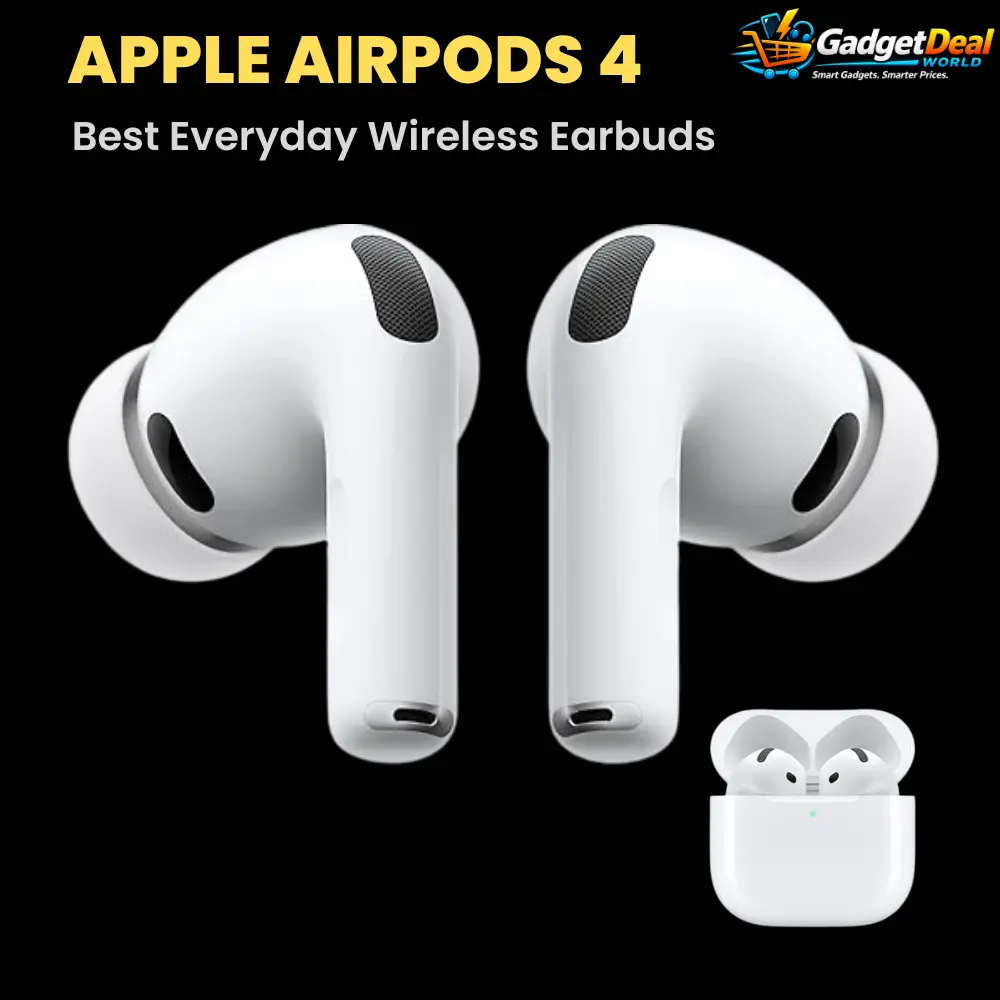
The Apple AirPods 4 are a premium everyday option for listeners who want seamless Apple ecosystem integration, comfortable open-ear listening, and useful smart features in a compact true wireless design. They are designed for users who value convenience, voice interaction, personalized audio, and easy switching between Apple devices.
With features such as the H2 chip, Personalized Spatial Audio, USB-C charging, and a compact charging case, the AirPods 4 offer a polished experience for everyday music, calls, entertainment, and mobile use.
Best For
The Apple AirPods 4 are particularly suitable for:
• iPhone and Apple ecosystem users
• Everyday music and entertainment
• Users who prefer a lightweight open-ear design
• Buyers who want Personalized Spatial Audio
• People who value easy device integration and voice assistant features
• Users looking for compact true wireless earbuds for everyday carry
Key Features
H2 Chip and Apple Integration
The AirPods 4 use Apple’s H2 chip to support a range of smart audio and connectivity features. For users already invested in the Apple ecosystem, the integration can make everyday listening and device switching more convenient.
Personalized Spatial Audio
Personalized Spatial Audio creates a more immersive listening experience with compatible content. Dynamic head tracking can further adjust the audio experience as you move your head.
Comfortable Open-Ear Design
The open-ear design allows users to stay more aware of their surroundings while listening. Its compact and lightweight form makes it suitable for everyday use.
USB-C Charging
The charging case uses USB-C, making charging more convenient for users who already use USB-C cables and accessories.
Clear Calls
The built-in microphones are designed to support voice calls and communication, making the AirPods 4 useful beyond music playback.
Voice Assistant Support
AirPods 4 can work with Apple’s voice assistant features, allowing users to interact with supported functions without reaching for their phone.
Compact Charging Case
The charging case is small enough for everyday carrying and provides additional power when the earbuds are away from a charging source.
Why It Stands Out
The biggest advantage of the Apple AirPods 4 is their combination of compact design, Apple ecosystem integration, and smart audio features.
Instead of focusing only on basic wireless playback, they provide Personalized Spatial Audio, H2-powered features, USB-C charging, voice assistant support, and a lightweight open-ear design. This makes them particularly attractive to buyers who already use Apple devices and want earbuds that fit naturally into their daily routine.
For users who prioritize seamless Apple integration and convenience, the AirPods 4 offer a polished premium-earbud experience.
Pros
• Excellent Apple ecosystem integration
• H2 chip
• Personalized Spatial Audio
• Lightweight and compact design
• Open-ear design helps maintain environmental awareness
• USB-C charging
• Voice assistant support
• Suitable for everyday music, calls, and entertainment
• Compact charging case
Cons
• Open-ear design provides less passive isolation than sealed in-ear earbuds
• Apple-focused features are most valuable for users within the Apple ecosystem
• Buyers seeking strong passive noise isolation may prefer in-ear alternatives
• Premium pricing may not suit budget-focused buyers
Who Should Buy
The Apple AirPods 4 are a strong choice if you already use an iPhone or other Apple devices and want earbuds that integrate naturally with your everyday technology.
They are particularly suitable for listeners who value a lightweight open-ear design, Personalized Spatial Audio, convenient USB-C charging, and Apple’s ecosystem features.
If seamless Apple integration is more important to you than maximum passive isolation or the lowest possible price, the AirPods 4 deserve serious consideration.
Who Should Consider Alternatives
Consider other earbuds if your main priority is strong passive noise isolation, a bass-heavy in-ear listening experience, or the lowest possible price.
Android users should also compare alternatives if they want the full range of features and ecosystem integration available with Apple devices.
Buying Verdict
The Apple AirPods 4 are a compelling premium choice for Apple users who want compact true wireless earbuds with seamless ecosystem integration, Personalized Spatial Audio, a lightweight open-ear design, and convenient everyday features.
Their strongest appeal is the combination of Apple’s H2 chip, personalized audio features, compact portability, USB-C charging, and easy integration with Apple devices.
If you already use an iPhone and prioritize convenience, ecosystem integration, and a comfortable everyday listening experience, the AirPods 4 are one of the strongest premium options in this buying guide.
Apple Watch Series 11: Best Premium Smartwatch for iPhone Users

The Apple Watch Series 11 is a premium smartwatch designed for iPhone users who want health, fitness, safety, and everyday smart features on their wrist. It combines built-in GPS, an always-on display, health and fitness tracking, and useful safety features in a compact smartwatch designed to work closely with the Apple ecosystem.
For users who already rely on an iPhone, the Apple Watch Series 11 can provide a convenient way to monitor activity, check important information, track workouts, and stay connected without constantly reaching for the phone.
Best For
The Apple Watch Series 11 is particularly suitable for:
• iPhone users who want a premium smartwatch
• People focused on health, fitness, and activity tracking
• Users who want built-in GPS for workouts and outdoor activities
• Buyers who value safety features such as fall and crash detection
• Users who want an always-on smartwatch display
• People looking for deeper integration with the Apple ecosystem
Key Features
Built-In GPS
The Apple Watch Series 11 includes built-in GPS, making it useful for tracking outdoor activities and workouts without relying entirely on the iPhone for location tracking.
Always-On Display
The always-on display allows important information to remain visible without requiring the user to raise the wrist every time they want to check the watch.
Health Monitoring
Health-related features include heart-rate monitoring, ECG capability, Vitals, and Sleep Score features. Depending on availability and eligibility, the watch can also provide hypertension-related notifications.
Fitness Tracking
Activity tracking, heart-rate zones, GPS, Pacer, and training-load features can help users monitor workouts and better understand their activity.
Safety Features
Fall Detection, Crash Detection, Emergency SOS capabilities, and Check In provide additional safety tools for compatible situations.
64GB Storage
The selected GPS 42mm configuration provides 64GB of storage for supported apps and content.
Water and Dust Resistance
The watch is water resistant to up to 50 meters and has an IP6X dust-resistance rating.
Health, Sleep & Fitness Tracking
Health and fitness are major reasons to consider the Apple Watch Series 11. It can monitor heart rate, provide ECG functionality, and present health information through features such as Vitals.
Sleep tracking adds another useful layer by providing a Sleep Score that helps users understand their nightly rest.
For workouts, features such as activity tracking, heart-rate zones, GPS, Pacer, and training load can make the watch useful for both everyday exercise and more structured fitness routines.
These features make the Series 11 more than a notification device—it can serve as a central tool for monitoring activity and fitness throughout the day.
Everyday Smart Features
The Apple Watch Series 11 is designed to reduce the need to constantly check an iPhone. Users can access supported information, monitor activity, interact with apps, and stay connected directly from the wrist.
Its close integration with the Apple ecosystem is one of its biggest advantages. For someone already using an iPhone, the watch can fit naturally into an existing Apple setup rather than functioning as a completely separate device.
Battery, Display & Durability
Apple rates the Apple Watch Series 11 for up to 24 hours of normal use. A 15-minute charge can provide up to 8 hours of normal use, depending on usage and conditions.
The always-on display improves convenience because information can remain visible without requiring constant interaction.
For durability, the Series 11 is water resistant up to 50 meters and carries an IP6X dust-resistance rating. Apple also describes improved scratch resistance compared with the previous generation.
Pros
• Strong integration with the iPhone and Apple ecosystem
• Built-in GPS
• Always-on display
• Comprehensive health and fitness features
• ECG and Vitals features
• Sleep Score
• Fall Detection and Crash Detection
• Up to 24 hours of normal use
• Fast charging support
• Water and dust resistance
Cons
• Best suited to users who already use an iPhone
• Premium pricing may not suit budget buyers
• Battery life requires more frequent charging than many traditional watches
• Some health-related features may depend on availability, region, device compatibility, or eligibility
Who Should Buy
The Apple Watch Series 11 is a strong choice for iPhone users who want a premium smartwatch with comprehensive health and fitness tracking, built-in GPS, safety features, and close Apple ecosystem integration.
It is especially appealing to users who want an always-on display and a smartwatch that can become part of their everyday fitness, communication, and safety routine.
Who Should Consider Alternatives
Consider alternatives if you use an Android phone, want significantly longer battery life, or have a tighter budget.
Buyers who mainly need basic activity tracking and notifications may also find a less expensive smartwatch sufficient for their needs.
Our Buying Verdict
The Apple Watch Series 11 is one of the strongest premium smartwatch choices for iPhone users who want health, fitness, safety, and everyday smart features in one device.
Its combination of built-in GPS, always-on display, health monitoring, workout tools, safety features, and Apple ecosystem integration makes it particularly well suited to users already invested in Apple’s devices.
If you use an iPhone and want a smartwatch that can play an important role in both everyday convenience and fitness tracking, the Apple Watch Series 11 is a compelling choice.
Amazon Echo Dot: Best Smart Speaker for Alexa & Smart Home
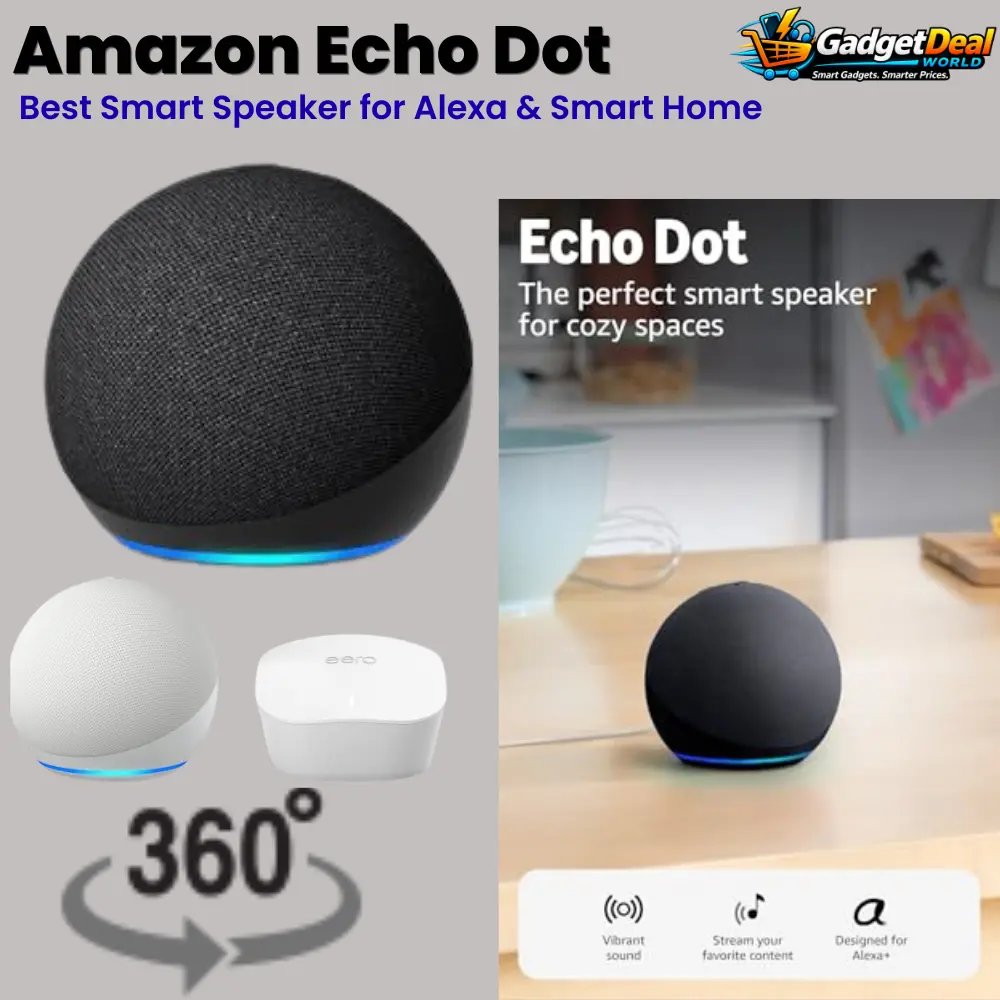
The Amazon Echo Dot is a compact smart speaker designed for users who want Alexa voice control, music playback, and simple smart-home automation in a small device. It can also work with compatible smart-home devices and support routines that make everyday tasks more convenient.
For users building or expanding an Alexa-based smart home, the Echo Dot offers a straightforward way to control compatible devices, listen to music and podcasts, and interact with Alexa from different rooms.
Best For
The Amazon Echo Dot is particularly suitable for:
• Users who want Alexa voice control
• Beginners building an Alexa smart home
• People who want a compact smart speaker for everyday use
• Users who want to control compatible smart-home devices by voice
• People who use music, podcasts, timers, alarms, and reminders regularly
• Users who want to create Alexa routines for everyday tasks
Key Features
Alexa Voice Assistant
Alexa provides voice-based access to supported functions such as music, podcasts, timers, alarms, reminders, and compatible smart-home controls.
Music and Podcasts
The Echo Dot can be used for everyday audio playback, including music and podcasts from compatible services.
Smart-Home Control
The Echo Dot can control compatible smart-home devices through Alexa. This can make it easier to manage supported lights, plugs, and other connected devices using voice commands.
Alexa Routines
Routines allow users to combine multiple supported actions into a single command or automated sequence. This can be useful for common daily activities.
Built-In Sensors
The Echo Dot includes built-in motion and indoor temperature sensors that can support compatible Alexa features and routines.
Multi-Room Audio
Compatible Echo devices can be connected for multi-room audio, allowing supported content to play across multiple rooms.
eero Built-In
The Echo Dot can provide eero Built-In connectivity on a compatible existing eero network, with coverage of up to 1,000 square feet according to Amazon’s specifications.
Privacy Controls
A microphone-off button provides a physical way to electronically disconnect the device’s microphones when you do not want Alexa listening for voice commands.
Music, Audio & Alexa
One of the main reasons to choose the Echo Dot is its combination of compact audio playback and Alexa voice control.
You can use Alexa for supported music and podcast services, as well as everyday functions such as timers, alarms, reminders, and information requests.
The Echo Dot is particularly useful when you want hands-free access to these functions without reaching for your smartphone.
For users who already have other compatible Echo devices, the ability to use multiple speakers together can also make the Alexa experience more useful throughout the home.
Smart-Home Control & Daily Routines
The Echo Dot becomes more useful when it is connected to compatible smart-home devices.
With Alexa, users can control supported devices such as smart plugs, lights, and other connected products using voice commands.
Alexa Routines can also combine several actions into a single command or automated sequence. For example, compatible devices can be organized around everyday routines instead of being controlled individually.
This makes the Echo Dot a practical starting point for users who want to gradually build a simple Alexa-based smart home.
Connectivity & eero Built-In
The Echo Dot supports Bluetooth connectivity and can work with compatible Echo devices for multi-room audio and other supported features.
Another useful feature is eero Built-In. When used with a compatible existing eero network, the Echo Dot can provide additional eero connectivity with coverage of up to 1,000 square feet according to Amazon.
This feature is most relevant for users who already have a compatible eero Wi-Fi system and want to extend its usefulness through an Echo device.
Privacy Features
Privacy is an important consideration with any voice-controlled smart speaker. The Echo Dot includes a physical microphone-off button that electronically disconnects the microphones.
This gives users a simple hardware control when they want to prevent the device from listening for Alexa commands.
If privacy is a major concern, using the microphone-off control when Alexa is not needed can provide an additional level of control over the device.
Pros
• Alexa voice control
• Compact smart-speaker design
• Smart-home device control
• Alexa Routines
• Music and podcast support
• Built-in motion and temperature sensors
• Multi-room audio with compatible Echo devices
• eero Built-In support on compatible eero networks
• Physical microphone-off button
Cons
• Best value for users who plan to use Alexa features
• Some smart-home functions require compatible devices
• eero Built-In is mainly useful for users with a compatible eero network
• Advanced features may require additional compatible services or devices
Who Should Buy
The Amazon Echo Dot is a strong choice for users who want an affordable and compact way to bring Alexa into their everyday routine.
It is particularly suitable for people who want voice-controlled music, timers, reminders, smart-home control, and Alexa Routines without purchasing a larger smart speaker.
It also makes sense for users who are already building an Alexa-based smart home and want to add another Echo device to different rooms.
Who Should Consider Alternatives
Consider alternatives if your main priority is premium music quality, powerful room-filling audio, or a smart speaker built around a different voice-assistant ecosystem.
You may also want another option if you do not plan to use Alexa or compatible smart-home devices, since many of the Echo Dot’s most useful features are centered around the Alexa ecosystem.
Our Buying Verdict
The Amazon Echo Dot is a practical choice for users who want Alexa voice control, everyday audio, and simple smart-home functionality in a compact speaker.
Its biggest strength is the combination of Alexa, smart-home control, routines, compatible Echo features, built-in sensors, and privacy controls.
If you are starting an Alexa-based smart home or want a convenient voice-controlled speaker for everyday tasks, the Echo Dot is one of the most versatile choices in this buying guide.
Amazon Fire TV Stick 4K Plus — Best Value 4K Streaming Device
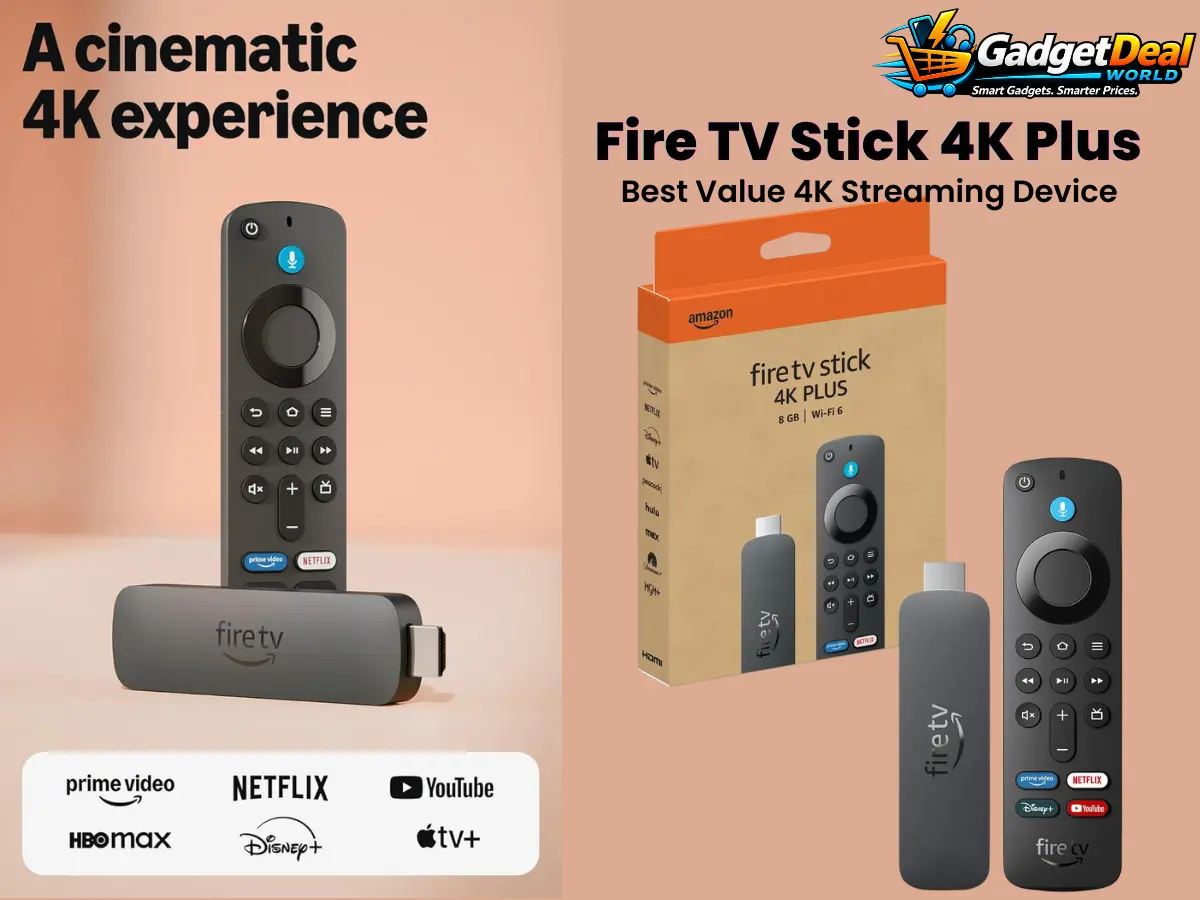
If you want to upgrade your TV with faster 4K streaming, modern connectivity, and convenient voice-powered controls, the Fire TV Stick 4K Plus is a strong option to consider. This 2025-generation streaming device combines 4K Ultra HD support with Wi-Fi 6, Dolby Vision, HDR10+, Dolby Atmos, and an Alexa Voice Remote.
At the listed price of $39.99, it offers a feature-rich way to expand the entertainment capabilities of a compatible 4K TV without moving to a more expensive streaming setup.
Best For
The Fire TV Stick 4K Plus is best suited for:
4K TV owners who want a dedicated streaming device
Viewers who use multiple streaming services
Buyers who want Wi-Fi 6 connectivity
People who prefer voice-controlled content discovery
Users interested in Dolby Vision and Dolby Atmos entertainment
Households that want access to free and live TV options
Alexa users who want to control compatible smart-home devices
Buyers interested in Xbox cloud gaming through supported services
Key Features
4K Ultra HD Streaming
The Fire TV Stick 4K Plus is designed for compatible 4K TVs and supports 4K Ultra HD streaming for sharper and more detailed entertainment.
Wi-Fi 6 Support
Wi-Fi 6 is designed to provide a more reliable wireless connection for streaming, particularly in homes where multiple devices are using the network at the same time. Amazon lists Wi-Fi 6 support for the Fire TV Stick 4K Plus.
Dolby Vision, HDR10+ and Dolby Atmos
For compatible TVs and audio equipment, support for Dolby Vision, HDR10+, and Dolby Atmos can help create a more cinematic viewing and listening experience.
Alexa Voice Remote
The included Alexa Voice Remote provides voice-based content search and includes dedicated power and volume controls for compatible TVs, soundbars, and receivers.
AI-Powered Fire TV Search and Alexa+
Voice-powered search and Alexa features can make it easier to discover content and interact with compatible Fire TV functions.
Free and Live TV Options
The device provides access to supported free and live TV content alongside subscription-based streaming services. Some services may require separate subscriptions.
Smart-Home Control
Compatible smart-home devices can be controlled through Alexa, allowing the Fire TV Stick to serve a role beyond traditional video streaming.
Xbox Cloud Gaming
The device supports Xbox cloud gaming through supported services, allowing compatible games to be streamed without requiring a traditional gaming console. Availability and requirements may vary.
Why It Stands Out
The biggest advantage of the Fire TV Stick 4K Plus is the combination of 4K streaming, Wi-Fi 6, modern Fire TV features, voice search, and smart-home integration in one compact streaming device.
Its appeal goes beyond basic video streaming. Support for Dolby Vision, HDR10+, Dolby Atmos, Alexa features, free and live TV options, and Xbox cloud gaming gives it a broader entertainment role.
For buyers who already have a compatible 4K TV and want a straightforward way to access a wide range of entertainment features, the Fire TV Stick 4K Plus offers a strong combination of performance, connectivity, and value.
Pros
Supports 4K Ultra HD streaming
Wi-Fi 6 connectivity
Dolby Vision and HDR10+ support
Dolby Atmos support
Alexa Voice Remote
Voice-powered content search
Access to free and live TV content
Smart-home device control
Supports Xbox cloud gaming
Strong feature set for its listed $39.99 price
Cons
Some streaming services require separate subscriptions
Advanced video and audio formats require compatible TV and audio equipment
Xbox cloud gaming depends on supported services and requirements
Buyers who only need basic HD streaming may not need all of its advanced features
Who Should Buy
The Fire TV Stick 4K Plus makes the most sense for buyers who own a compatible 4K TV and want more than basic streaming.
It is particularly attractive if you value 4K picture quality, Wi-Fi 6 connectivity, voice-powered search, Dolby formats, Alexa features, and access to multiple entertainment options.
It can also be a good fit for Alexa users who want their streaming device to work alongside compatible smart-home products.
Who Should Consider Alternatives
Consider another streaming device if you only need basic HD streaming and do not expect to use the 4K, Wi-Fi 6, Dolby, or advanced Alexa features.
You may also want to compare other options if your priority is a different streaming ecosystem, a different gaming platform, or features that are not included with this device.
Our Buying Verdict
The Fire TV Stick 4K Plus is a feature-rich 4K streaming device aimed at buyers who want strong entertainment capabilities without moving into a more expensive streaming setup.
With 4K streaming, Wi-Fi 6, Dolby Vision, HDR10+, Dolby Atmos, voice-powered search, Alexa features, free and live TV options, and Xbox cloud gaming support, it covers a wide range of modern entertainment needs.
At the listed $39.99 price, it stands out as a compelling value-oriented 4K streaming option, provided your TV and other equipment can take advantage of its advanced features.
Apple AirTag 4-Pack — Best for Tracking Everyday Items
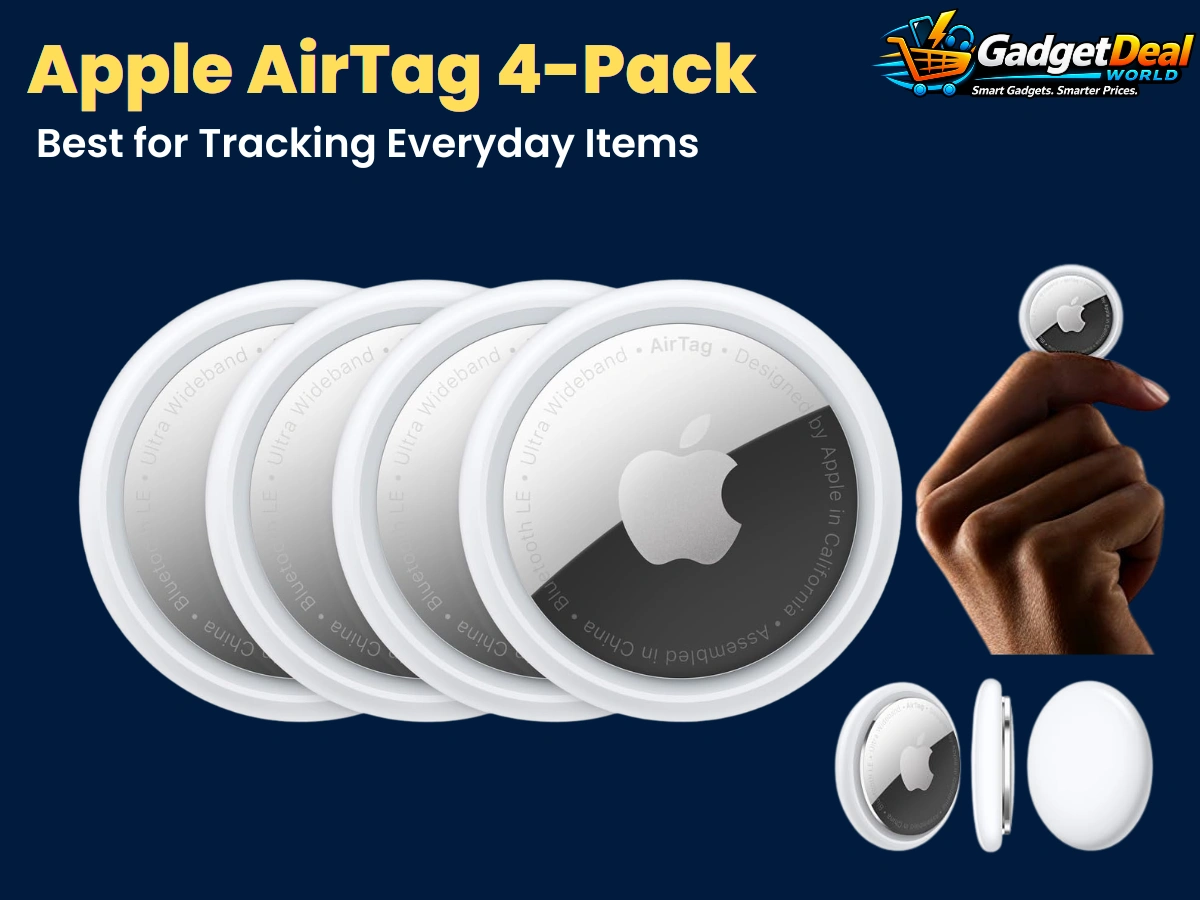
If you often misplace keys, bags, luggage, or other everyday belongings, the Apple AirTag 4-Pack is a practical tracking solution to consider. AirTag works with Apple’s Find My app and network to help you locate tagged items, while Precision Finding can provide more precise distance and direction guidance when supported by a compatible Apple device. The four-pack is especially useful when you want to track several belongings at the same time.
The current AirTag also includes a built-in speaker, NFC support for Lost Mode, a user-replaceable CR2032 battery, and IP67 splash, water, and dust resistance. Its strongest appeal is therefore not simply the number of trackers included, but the way it fits into Apple’s broader Find My ecosystem for everyday item tracking.
Best For
The Apple AirTag 4-Pack is best suited for:
· People who frequently misplace keys, wallets, bags, or other everyday belongings
· iPhone and iPad users who already use Apple’s Find My ecosystem
· Travelers who want to keep track of luggage and personal belongings
· Families or individuals who need multiple trackers for different items
· Users who want Precision Finding on compatible Apple devices
· Buyers who prefer a compact tracker with a replaceable battery
· People who want Lost Mode and NFC-based contact information features
· Buyers looking for a simple way to organize tracking for several personal items
Key Features
Find My Network Tracking
AirTag integrates with Apple’s Find My ecosystem to help locate tagged belongings. When an AirTag is away from the owner’s Bluetooth range, nearby Apple devices in the Find My network can help relay its location securely
Expanded Precision Finding
The current AirTag uses Apple’s second-generation Ultra Wideband technology and expanded Precision Finding capabilities. When supported by a compatible iPhone or Apple Watch, Precision Finding can provide distance and directional guidance to help locate a nearby AirTag.
Four AirTags in One Pack
The 4-pack provides four individual AirTag trackers, making it practical for people who want to track multiple belongings instead of purchasing individual units separately. Apple officially offers AirTag as both an individual unit and a four-pack.
Lost Mode and NFC
If an AirTag is lost, Lost Mode can notify the owner when the tag is detected by the Find My network. A person who finds the tagged item can also tap the AirTag with an NFC-capable smartphone to access the owner’s provided contact information.
Replaceable CR2032 Battery
AirTag uses a user-replaceable CR2032 coin-cell battery. Apple states that the battery can last for more than a year under typical usage, although actual battery life varies depending on usage and conditions.
IP67 Water and Dust Resistance
The current AirTag has an IP67 rating for splash, water, and dust resistance under IEC 60529, with testing rated for up to 1 meter of depth for up to 30 minutes. Apple notes that this resistance is not permanent and can decrease with normal wear.
Built-In Speaker
A built-in speaker can play a sound when you are trying to locate a nearby AirTag, making it easier to identify the tagged item when it is within an appropriate range.
Share AirTag with Family Members
Apple’s current AirTag supports sharing an item with up to five other people, which can be useful for belongings used by multiple family members or people in the same household.
Why It Stands Out
The biggest advantage of the Apple AirTag 4-Pack is how easily it combines simple physical tracking with Apple’s broader Find My ecosystem.
Instead of relying only on a Bluetooth connection between your phone and tracker, AirTag can use the Find My network to help locate an item when it is no longer within your immediate Bluetooth range. Precision Finding can provide additional directional guidance when a compatible Apple device is supported.
The four-pack also makes the product more useful for people who want to track several belongings at once. Keys, luggage, bags, and other frequently misplaced items can each have their own tracker, making the system practical for everyday use.
For Apple users who already rely on iPhone, iPad, or other compatible devices, AirTag’s combination of Find My integration, Precision Finding, Lost Mode, replaceable battery, and compact design makes it a particularly convenient everyday tracking option.
Pros
Four AirTags included in one pack
· Strong integration with Apple’s Find My ecosystem
· Expanded Precision Finding on supported devices
· Find My network can help locate items outside immediate Bluetooth range
· Lost Mode with NFC functionality
· User-replaceable CR2032 battery
· IP67 splash, water, and dust resistance
· Built-in speaker for nearby item finding
· Can be shared with up to five other people
· Compact design for everyday belongings
Cons
Best suited to users who already use compatible Apple devices
· Precision Finding requires a compatible Apple device
· AirTag does not have a built-in keyring hole, so an accessory may be needed for some attachment methods
· Tracking capabilities depend on the availability and functionality of Apple’s Find My ecosystem
· It is designed primarily for tracking belongings, not as a general-purpose GPS tracker
· Water and dust resistance can decrease with normal wear over time
Who Should Buy
The Apple AirTag 4-Pack makes the most sense for people who regularly misplace everyday belongings and already use Apple’s ecosystem.
It is particularly attractive if you want to track multiple items such as keys, bags, luggage, and other personal belongings rather than purchasing a single tracker.
The 4-pack is also a practical choice for households where different people need to track different items. Apple’s current AirTag supports sharing an item with up to five additional people, which can make shared belongings easier to manage.
Buyers who value Find My integration, Precision Finding on compatible devices, Lost Mode, and a replaceable battery will get the most benefit from this product.
Who Should Consider Alternatives
Consider another tracking solution if you do not use compatible Apple devices or if you want a tracker designed primarily around a different smartphone ecosystem.
You may also want to consider alternatives if your main requirement is independent GPS tracking with cellular connectivity rather than item tracking through Bluetooth and the Find My network.
AirTag is designed for locating everyday belongings within Apple’s tracking ecosystem, so buyers should not treat it as a replacement for a dedicated GPS tracker designed for vehicles, people, or continuous real-time location monitoring.
Our Buying Verdict
The Apple AirTag 4-Pack is a strong choice for Apple users who want a simple and convenient way to keep track of multiple everyday belongings.
Its combination of Find My network support, expanded Precision Finding, Lost Mode, NFC functionality, a replaceable CR2032 battery, built-in speaker, and IP67 resistance gives it a well-rounded feature set for everyday item tracking.
The four-pack is especially useful for buyers who want separate trackers for several belongings, such as keys, bags, and luggage. However, its biggest limitation is also important: the best experience is closely tied to Apple’s ecosystem and compatible Apple devices.
For iPhone users who need a practical way to track several everyday items, the Apple AirTag 4-Pack is our pick for Best for Tracking Everyday Items.
Soundcore P20i — Best Budget Earbuds for Bass & Everyday Use
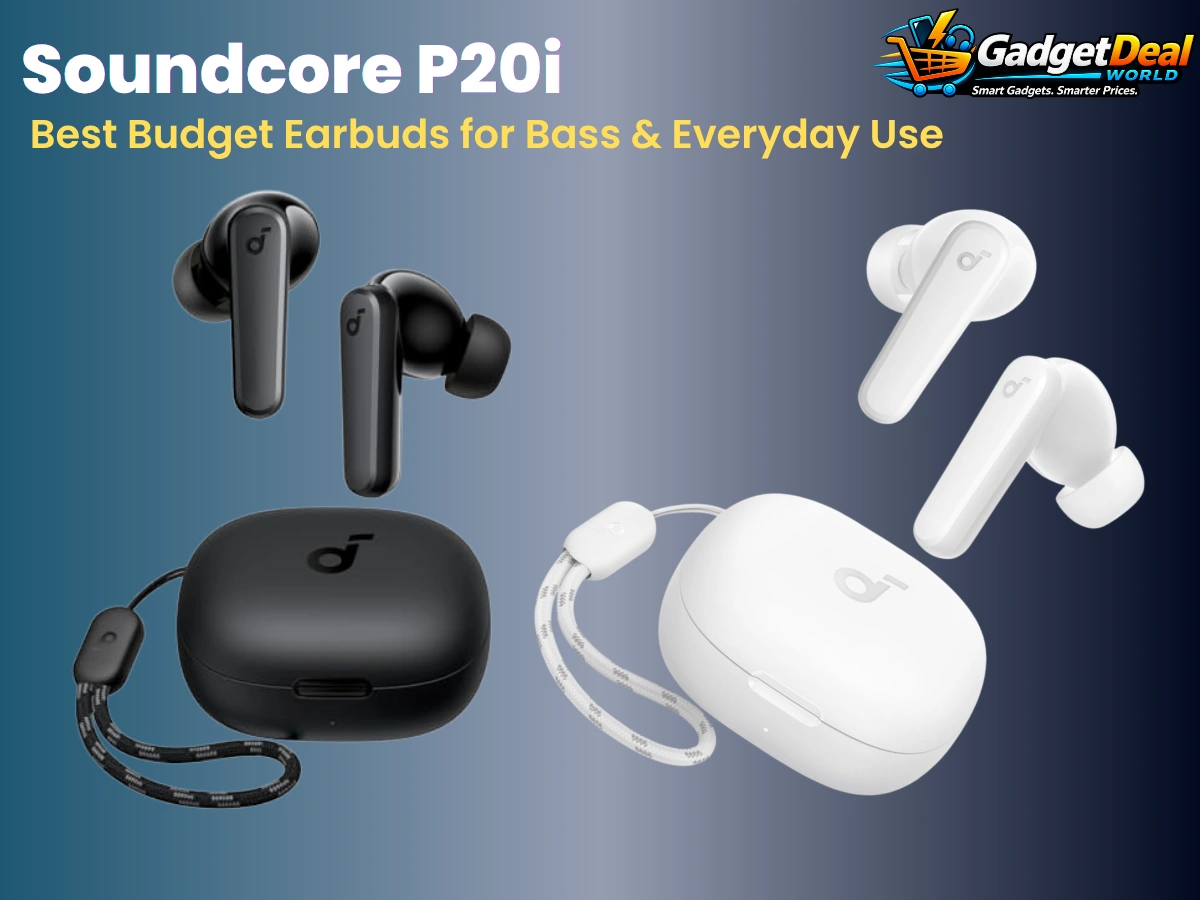
If you want affordable wireless earbuds with a bass-focused sound and practical features for everyday listening, the Soundcore P20i is an option worth considering. It combines Bluetooth connectivity, customizable sound through the Soundcore app, AI-enhanced call features, and a compact charging case in a budget-oriented package.
The P20i is particularly appealing to listeners who enjoy stronger bass and want useful everyday features without moving into a premium-priced earbud category. Its compact design and app-based controls also make it a practical choice for commuting, casual listening, work, and daily entertainment.
Best For
The Soundcore P20i is best suited for:
· Buyers looking for affordable wireless earbuds for everyday listening
· Listeners who prefer a bass-focused sound
· People who want app-based EQ customization
· Commuters and casual listeners who want a compact earbud setup
· Users who need convenient controls for music and calls
· Buyers looking for a budget-friendly alternative to premium earbuds
· People who want a compact charging case for daily portability
· Listeners who want useful features without paying for a premium earbud category
Key Features
Bass-Forward Sound
The Soundcore P20i is designed with a bass-focused sound profile, making it particularly suitable for listeners who enjoy stronger low-end presence in music and entertainment.
Soundcore App EQ Customization
The Soundcore app provides access to EQ customization, allowing users to adjust the sound profile according to their personal listening preferences.
Bluetooth Connectivity
The P20i uses Bluetooth wireless connectivity for convenient pairing with compatible smartphones, tablets, and other supported devices.
AI-Enhanced Calls
The earbuds include AI-enhanced microphone processing designed to improve voice pickup during calls, helping make everyday calling more convenient.
Long Listening Time
The P20i is designed for extended everyday listening with additional battery capacity available through its charging case. Actual playback time can vary depending on volume, settings, and usage conditions.
Fast Charging
A short charging period can provide additional listening time, making the P20i practical when you need a quick battery boost before heading out.
Compact Charging Case
The charging case provides a convenient way to store and recharge the earbuds while keeping the overall setup portable for everyday use.
Easy Everyday Controls
Touch controls allow users to manage supported playback and call functions directly from the earbuds, reducing the need to reach for a connected device for common controls.
Why It Stands Out
The biggest advantage of the Soundcore P20i is its combination of budget-friendly positioning, bass-focused sound, app-based customization, and practical everyday features.
Many buyers do not need premium earbuds with advanced flagship features. For everyday music, videos, podcasts, commuting, and calls, a simpler and more affordable option can make more sense.
The P20i is particularly interesting for bass-oriented listeners because its sound profile is designed around stronger low-end presence. The Soundcore app also adds flexibility by allowing users to customize the EQ instead of being limited to a single fixed sound profile.
For buyers who want affordable wireless earbuds with useful everyday features and a compact charging case, the P20i offers a balanced budget-oriented package.
Pros
· Budget-friendly option for everyday wireless listening
· Bass-focused sound profile
· EQ customization through the Soundcore app
· Bluetooth wireless connectivity
· AI-enhanced microphone features for calls
· Compact and portable charging case
· Touch controls for supported functions
· Suitable for music, videos, podcasts, and everyday calls
· Good feature set for buyers who do not need premium earbuds
Cons
· Bass-focused tuning may not suit listeners who prefer a neutral sound
· Does not target the premium feature set of higher-priced earbuds
· Call quality can vary depending on environment and device conditions
· Some app-based features require use of the Soundcore app
· Buyers seeking advanced active noise cancellation should consider other options
· Sound preferences are subjective, so the bass-forward tuning will not appeal to every listener
Who Should Buy
The Soundcore P20i makes the most sense for buyers who want affordable wireless earbuds for everyday listening and prefer a stronger bass presentation.
It is particularly attractive if you listen to music, watch videos, use earbuds while commuting, or regularly make calls but do not want to spend premium-earbud money.
The Soundcore app is another reason to consider the P20i if you like having control over your sound profile. The ability to customize EQ can make the earbuds more flexible for different types of music and personal preferences.
Buyers who prioritize affordability, bass-focused sound, portability, and useful everyday features are likely to get the most value from this model.
Who Should Consider Alternatives
Consider another pair of earbuds if your highest priority is a neutral or highly detailed reference-style sound rather than a bass-focused presentation.
You should also compare alternatives if you specifically want advanced active noise cancellation, premium spatial-audio features, extensive water resistance, or other flagship-level capabilities.
Buyers who already own premium earbuds and are satisfied with their current sound quality may also have little reason to switch to a budget-focused model unless they specifically want a less expensive everyday pair.
Our Buying Verdict
The Soundcore P20i is a practical budget option for listeners who want wireless earbuds with a bass-focused sound, app-based EQ customization, convenient controls, and everyday portability.
Its strongest appeal is the combination of useful features and affordable positioning rather than premium flagship technology. The compact charging case also makes it convenient for daily carrying and regular use.
However, buyers should understand that its bass-oriented tuning will not suit everyone, and people looking specifically for advanced ANC or premium-tier features should compare more specialized alternatives.
For buyers who prioritize affordable everyday listening and enjoy a stronger bass presentation, the Soundcore P20i is our pick for Best Budget Earbuds for Bass & Everyday Use.
Amazon Smart Plug 2-Pack — Best for Simple Alexa Home Automation
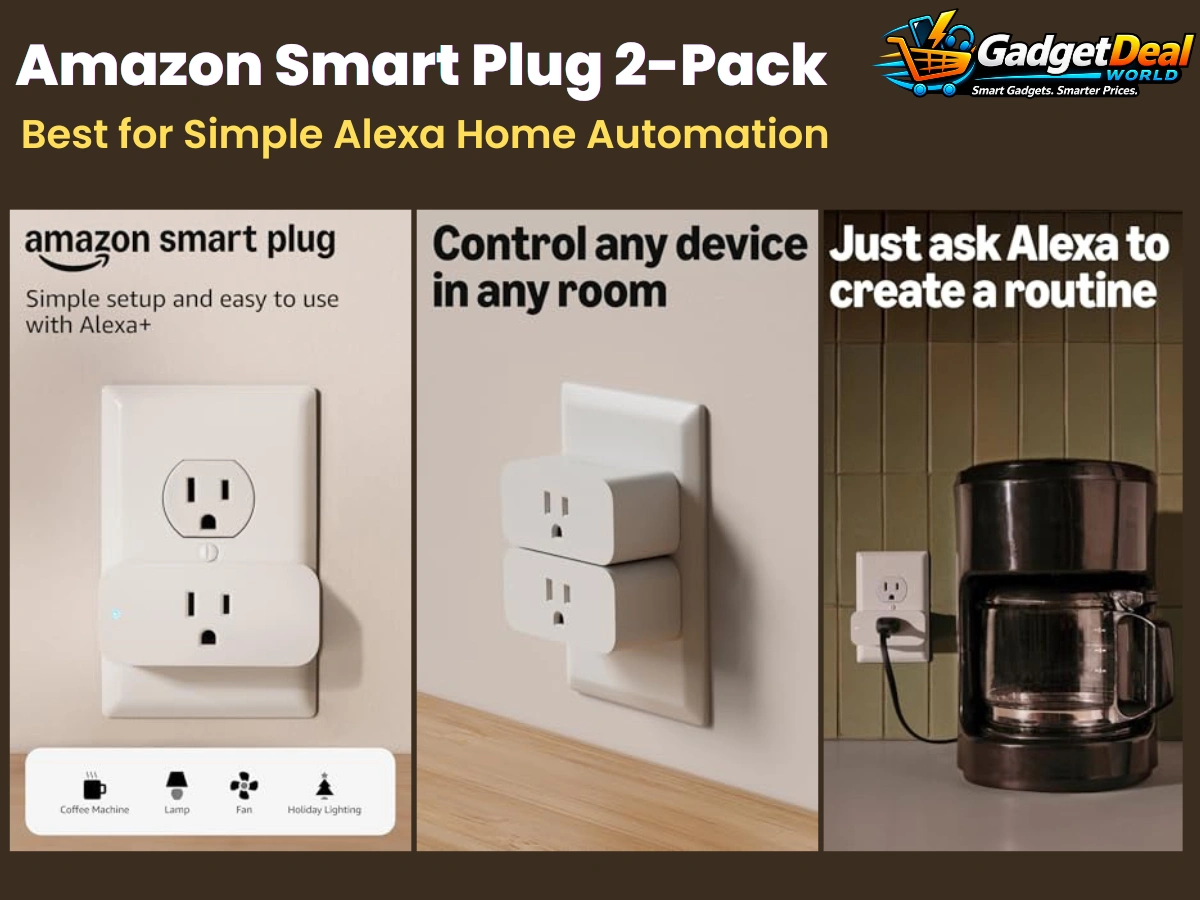
The Amazon Smart Plug 2-Pack is a practical choice for anyone who wants to add simple smart-home control without replacing existing lamps, small appliances, or other compatible devices. Instead of manually reaching for a switch, users can control connected devices through Alexa, making everyday routines more convenient. Its value is especially clear for people who already use Alexa-compatible devices and want an easy way to expand their smart-home setup.
For a buying guide focused on useful everyday technology, this two-pack stands out because it addresses a simple problem: making ordinary devices easier to control. It is not designed to replace a full smart-home system, but it can be a straightforward starting point for basic automation and voice-controlled routines. Amazon’s Alexa ecosystem supports smart plugs and other compatible smart-home devices through voice control and automated routines, although compatibility and setup requirements should be checked before purchase.
Best For
Alexa users — Best for people who already use Alexa and want to add simple smart control to compatible household devices.
Simple home automation — Useful for creating basic routines that can make repetitive daily tasks more convenient.
Lamps and compatible appliances — A practical option for devices that can safely be controlled by switching their power on or off.
Beginners entering the smart-home ecosystem — Suitable for users who want to start with a relatively simple smart-home device.
Multi-room setups — The 2-pack can be useful when you want smart control in more than one location.
Voice-controlled convenience — Helpful for users who prefer controlling compatible devices through Alexa voice commands.
Daily routines — Useful for scheduled or routine-based control where supported by the Alexa ecosystem.
Alexa-centered homes — Particularly appropriate for households already using compatible Echo or Alexa-enabled devices.
Key Features
1. Alexa Voice Control
The main appeal of the Amazon Smart Plug is convenient control through Alexa. When properly connected and configured, compatible devices can be controlled using voice commands, reducing the need to manually operate the connected device.
2. Simple Smart-Home Expansion
The smart plug provides an easy way to add basic connected-device functionality to a home. Instead of replacing an existing lamp or compatible appliance with a smart version, a suitable device can potentially be controlled through the plug.
3. Two-Plug Value
The 2-pack format makes it possible to add smart control in two different locations or use two compatible devices without purchasing individual plugs separately. This can be useful when gradually expanding a smart-home setup.
4. Alexa App Integration
Amazon’s Alexa ecosystem allows compatible smart-home devices such as smart plugs to be added through the Alexa app. Amazon’s current setup guidance directs users to Devices, then the plus icon and Add Device, followed by the appropriate device type and brand.
5. Routine-Based Automation
Alexa-compatible smart-home devices can be incorporated into automated routines. This makes the plug more useful than simple remote switching because compatible routines can help automate repetitive actions based on supported triggers and schedules.
6. Convenient Everyday Control
A smart plug can be useful for everyday situations where reaching a physical switch is inconvenient. For example, compatible lamps or other suitable devices can be controlled from an Alexa-enabled environment instead of requiring manual operation every time.
7. Beginner-Friendly Smart-Home Concept
Smart plugs are among the easier ways to understand and begin using smart-home automation because their purpose is straightforward: connect a suitable device and use supported smart-home controls to manage its power.
8. Works Within the Alexa Smart-Home Ecosystem
The Amazon Smart Plug is most attractive for users who are already building around Alexa. Amazon’s current smart-home documentation identifies plugs as a supported category for Alexa-connected home control, while actual compatibility and available features can depend on the device and setup.
Why It Stands Out
The biggest advantage of the Amazon Smart Plug 2-Pack is simplicity. Many people do not need a complicated smart-home hub or an extensive collection of connected devices. They simply want an easier way to control a lamp or another compatible device, and a smart plug can provide that basic functionality.
It also makes sense as an expansion device for households already using Alexa. Instead of introducing a completely different smart-home platform, users can keep compatible devices within an Alexa-centered setup. Amazon supports smart plugs as part of its Alexa smart-home ecosystem, including voice control and automated experiences.
The two-pack format is another practical advantage. Having two plugs allows users to experiment with automation in different rooms or control two suitable devices without buying separate single units. That makes the product particularly relevant for beginners who want to build their smart-home setup gradually.
However, its usefulness depends on what you connect to it and how that device behaves when power is switched on or off. Buyers should therefore consider compatibility and the intended use before treating a smart plug as a universal solution for every appliance.
Pros
Simple concept for beginners
Designed for Alexa-based smart-home control
Convenient voice-control potential
Useful for compatible lamps and devices
Two-pack provides broader household coverage
Can support basic smart-home routines
Helps expand an existing Alexa setup
Reduces the need for manual switching in suitable situations
Useful for everyday convenience
Cons
Most useful when you are already comfortable with the Alexa ecosystem
Not a replacement for a complete smart-home hub or advanced automation system
Compatibility should be checked before connecting a device
Not every appliance is appropriate for control through a smart plug
Smart-home features depend on the supported setup and connectivity
Requires careful consideration of the connected device’s power behavior and safety requirements
Who Should Buy
The Amazon Smart Plug 2-Pack is a good fit for Alexa users who want a simple way to add smart control to compatible household devices. If you already have an Alexa-enabled home and want to automate a few everyday devices, this type of smart plug can be a practical starting point.
It is also suitable for beginners who do not want to build a complicated smart-home system immediately. Starting with two smart plugs gives you an opportunity to understand Alexa-based control and routines before expanding into more advanced smart-home products.
The two-pack can be particularly useful when you have multiple suitable devices or want smart control in more than one room. It offers a straightforward path toward making selected everyday tasks more convenient.
For buyers whose primary goal is Alexa voice control and basic automation rather than advanced home automation, this product fits the intended use-case of this buying guide well.
Who Should Consider Alternatives
Buyers who want advanced smart-home automation, broader ecosystem compatibility, energy monitoring, or more sophisticated device controls should compare other smart plugs before making a decision. A basic smart plug is primarily intended for straightforward power control, so advanced users may want additional features.
You should also consider alternatives if you do not use Alexa or if your existing smart-home ecosystem is based primarily on another platform. Compatibility between the plug, app, voice assistant, network, and connected appliance should be confirmed before purchase.
Finally, if you need to control a device with functions beyond simple power on/off behavior, a basic smart plug may not provide the control you actually need. In that situation, a purpose-built smart device or a more advanced smart-home solution may be more appropriate.
Our Buying Verdict
The Amazon Smart Plug 2-Pack is best viewed as a simple entry point into Alexa-based home automation rather than a complete smart-home solution. Its main strength is making compatible everyday devices easier to control within an Alexa environment.
For Alexa users who want to automate a few lamps or other suitable devices, the two-pack offers a practical way to expand smart control without immediately investing in a large smart-home setup. Alexa’s ecosystem also supports routines and automated experiences for compatible connected devices.
The product is therefore a strong match for the specific use-case in this guide: simple Alexa home automation. Before purchasing, however, buyers should verify that the intended device is compatible and suitable for smart-plug control.
Overall verdict: Choose the Amazon Smart Plug 2-Pack if your priority is straightforward Alexa-based control and basic automation for compatible household devices.
Blink Mini — Best Budget Indoor Security Camera
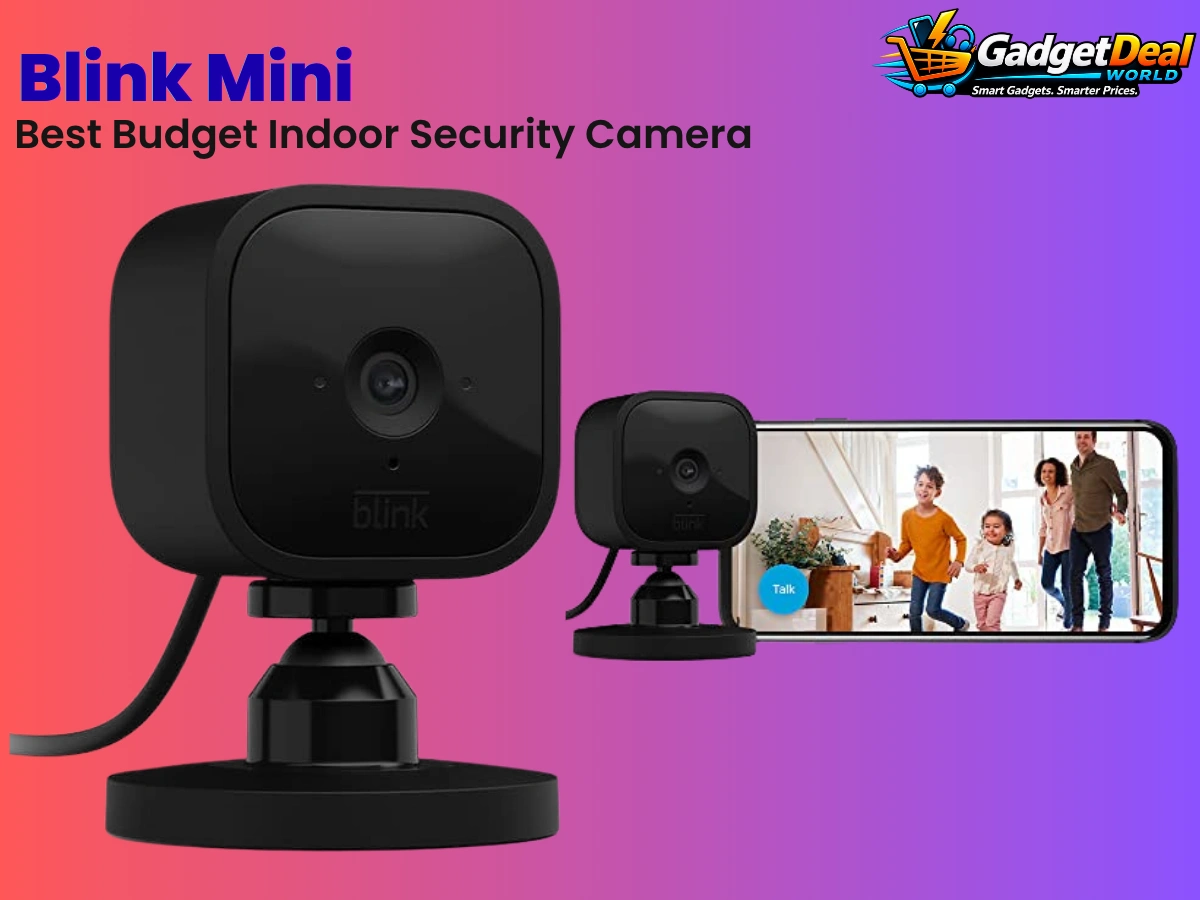
Blink Mini is a compact indoor plug-in security camera designed for people who want a straightforward way to monitor rooms, pets, entry areas, or other indoor spaces. It records up to 1080p HD video and combines motion detection, infrared night vision, a built-in microphone and speaker, and two-way audio in a small camera that connects through the Blink app. Its plug-in design also means you do not have to manage rechargeable or disposable camera batteries.
For buyers looking for a budget-friendly indoor security option, the Blink Mini stands out because it focuses on essential monitoring features rather than trying to be a complete outdoor or advanced security system. It can operate without a Sync Module, although a Sync Module 2 can be used when local storage is desired. Cloud storage and certain additional features depend on the available Blink subscription options, so buyers should consider ongoing storage requirements before choosing this camera.
Best For
Budget-conscious indoor security — A practical choice for users who want basic indoor camera monitoring without moving into a more advanced security system.
Apartment and home monitoring — Useful for keeping an eye on selected indoor areas such as living rooms, bedrooms, hallways, or entry areas.
Pet monitoring — Suitable for checking on pets remotely when you want a simple indoor live-view camera.
Room monitoring — Helpful when you want visibility into a specific indoor space rather than whole-home surveillance.
Night monitoring — Infrared night vision allows the camera to continue monitoring when the room is dark.
Two-way communication — Useful for communicating through the camera using its built-in microphone and speaker.
Alexa households — A good fit for users already using Alexa-compatible devices and who want to integrate camera viewing and control into that ecosystem.
Simple plug-in installation — Suitable for users who prefer a continuously powered indoor camera instead of managing camera batteries.
Key Features
1. 1080p HD Video
Blink Mini provides video resolution up to 1080p, giving users a clear view of monitored indoor areas. For a basic indoor security camera, this provides a useful balance between everyday monitoring and a relatively simple setup.
2. 110° Field of View
The original Blink Mini has a 110-degree viewing angle, allowing the camera to cover a useful portion of a room from a single position. Placement still matters, especially when monitoring a larger room or a specific doorway or area.
3. Motion Detection
Blink Mini can detect motion and provide notifications according to the camera’s configured settings. Blink’s documentation also allows users to adjust motion-related settings and determine when notifications and saved clips are triggered.
4. Infrared Night Vision
The camera uses an infrared LED for night vision, allowing it to monitor indoor spaces in low-light or dark conditions. This makes it more useful for nighttime room monitoring than a camera that relies only on visible light.
5. Two-Way Audio
Blink Mini includes a microphone and speaker for two-way audio. This allows users to communicate through the camera from the Blink app when using the supported live-view functionality.
6. Plug-In Power
Unlike battery-powered Blink cameras, the original Mini is designed as a plug-in camera. Blink specifies USB power for the Mini, so users do not need to routinely replace or recharge camera batteries.
7. Blink App Control
The Blink app provides the main interface for monitoring and managing the Mini. Users can arm or disarm the camera and configure motion-related settings and notifications through the app.
8. Alexa Compatibility
Blink Mini can integrate with Alexa when the Blink SmartHome skill is enabled. According to Blink’s current FAQ, supported Alexa functionality includes viewing live streams, playing back motion clips, and arming or disarming the camera, with some functions dependent on the applicable setup or subscription.
Why It Stands Out
The Blink Mini’s biggest strength is its straightforward approach to indoor monitoring. Instead of focusing on a long list of advanced security features, it combines the core functions many users actually need—HD video, motion detection, night vision, and two-way audio—in a compact plug-in camera.
Another advantage is that the Mini does not require a Sync Module simply to operate. Blink states that the camera can work with an always-on Wi-Fi connection and USB power without a Sync Module. A Sync Module 2 becomes relevant when users want to use local storage, giving the product some flexibility depending on how they want to manage recorded clips.
The Alexa integration also makes the Blink Mini more appealing to households already using Amazon’s smart-home ecosystem. Users can access supported camera functions through Alexa after enabling the Blink SmartHome skill, helping the camera fit into an existing connected-home setup.
Its biggest limitation is equally important: this is an indoor-only camera. The original Mini was not designed for outdoor use, and Blink specifically states that it should not be used outdoors. Buyers who need outdoor monitoring, a wider field of view, color night vision, or newer AI-based detection features should look at a different Blink model or another security camera instead.
Pros
Compact indoor camera design
Up to 1080p HD video
110° viewing angle
Infrared night vision
Motion detection
Two-way audio
Plug-in power means no camera battery replacement
Works without a Sync Module for basic operation
Alexa compatible
Local storage can be used with a Sync Module 2
Cons
Indoor use only
Requires continuous power and an always-on Wi-Fi connection
110° viewing angle is narrower than some newer wide-angle cameras
Cloud storage and certain features may require a Blink subscription
Local storage requires a compatible Sync Module 2 setup
Not the right choice for buyers looking for advanced outdoor security features
Motion detection through windows or glass is not recommended because performance can be unreliable
Who Should Buy
The Blink Mini is a strong fit for buyers who want a simple indoor security camera for a specific room or area. If your priority is basic monitoring, motion alerts, night vision, and two-way communication rather than an advanced multi-camera security system, the Mini covers the core requirements well.
It is also a good option for people who already use Alexa. The camera can be connected to the Alexa ecosystem through the Blink SmartHome skill, allowing supported functions such as live viewing and camera control through compatible Alexa devices.
Pet owners may also find the Mini useful for checking an indoor space while away. Its plug-in design makes it suitable for a fixed monitoring position where continuous power is available, while two-way audio can provide a convenient way to communicate through the camera.
For a buyer who wants an affordable-feeling, straightforward indoor monitoring solution without immediately building a complicated security setup, the Blink Mini is a sensible choice.
Who Should Consider Alternatives
Buyers who need outdoor surveillance should consider alternatives because the original Blink Mini is specifically designed for indoor use. It should not be confused with newer Blink models that support outdoor installation with the appropriate equipment.
You should also compare other cameras if you want a wider field of view, newer low-light capabilities, built-in spotlight functionality, advanced person detection, or other features found on newer camera generations. The Blink Mini remains focused on basic indoor monitoring rather than being an all-in-one advanced security camera.
Finally, buyers who strongly prefer completely battery-powered cameras should look at alternatives. The original Mini is a plug-in camera and therefore needs continuous power, which makes it less flexible for locations without a convenient power outlet.
Our Buying Verdict
The Blink Mini earns its place in this buying guide because it focuses on the essentials of indoor security monitoring without making the setup unnecessarily complicated. Its 1080p video, motion detection, infrared night vision, two-way audio, and compact plug-in design make it well suited to everyday indoor monitoring.
Its Alexa compatibility is another useful advantage for households already invested in Amazon’s smart-home ecosystem. The ability to integrate supported camera functions with Alexa can make the Mini more convenient as part of a connected home.
However, buyers should understand its limitations before choosing it. The original Mini is indoor-only, requires continuous power and Wi-Fi, and its storage options vary depending on whether you use Blink’s subscription service or a Sync Module 2 for local storage.
Overall verdict: Choose the Blink Mini if you want a straightforward budget indoor security camera for basic room monitoring, motion detection, night vision, and two-way communication. If you need outdoor coverage or more advanced camera capabilities, compare newer or higher-tier alternatives instead.
JBL Clip 4 — Best Portable Speaker for Travel & Outdoors

If you want a small Bluetooth speaker that is easy to carry on trips, outdoor activities, or everyday adventures, the JBL Clip 4 is a compelling option to consider. Its compact design combines JBL Original Pro Sound with a fully integrated carabiner, allowing the speaker to attach easily to a bag, belt, or buckle. It also features IP67 waterproof and dustproof protection, making it better suited to outdoor use than a typical compact speaker. (JBL)
The Clip 4 is designed around portability rather than maximum room-filling power. It offers Bluetooth 5.1 wireless streaming, a 40 mm driver, 5W RMS output, and up to 10 hours of music playback depending on volume and audio content. Its small size and rugged protection make it particularly attractive for travelers, hikers, cyclists, beach or pool users, and anyone who wants music without carrying a larger portable speaker. (JBL)
Best For
The JBL Clip 4 is best suited for:
Travelers — Its compact form and integrated carabiner make it convenient to carry while traveling.
Outdoor activities — IP67 waterproof and dustproof protection makes it suitable for many outdoor environments. (JBL)
Hiking and camping — The small size makes it easier to pack or attach to a backpack.
Beach and pool trips — Its waterproof design adds useful protection around water, although it should still be used according to JBL’s guidelines.
Cyclists and commuters — The integrated carabiner provides a convenient attachment option for compatible bags or gear.
People who want a compact speaker — Ideal for buyers who value portability more than the output of a larger speaker.
Everyday casual listening — Useful for listening to music, podcasts, and other Bluetooth audio in different locations.
Buyers who prioritize rugged portability — A strong fit for people who want a small wireless speaker with waterproof and dustproof protection.
Key Features
Compact Portable Design
The JBL Clip 4 is built around portability. Its compact body is easy to carry, while its integrated carabiner allows it to attach to a bag, belt, or buckle. JBL lists the speaker at approximately 3.4 × 5.3 × 1.8 inches and 0.53 lb.
Integrated Carabiner
One of the Clip 4’s most distinctive features is its fully integrated carabiner. Instead of requiring a separate clip or accessory, the carabiner is built into the speaker’s design, making it convenient to attach to compatible bags and outdoor gear.
IP67 Waterproof and Dustproof
The JBL Clip 4 carries an IP67 rating for waterproof and dustproof protection. This is particularly useful for outdoor activities where the speaker may encounter water or dust.
However, waterproof protection does not mean the speaker should be treated carelessly around water. Always follow the manufacturer’s usage and care instructions.
JBL Original Pro Sound
JBL positions the Clip 4 as delivering JBL Original Pro Sound from its compact design. The speaker uses a 40 mm transducer and has a listed 5W RMS output.
This makes it better suited to personal or small-group listening than buyers who need the high output and deeper low-frequency performance of a much larger portable speaker.
Bluetooth 5.1 Wireless Streaming
The Clip 4 supports Bluetooth 5.1 and can wirelessly stream audio from compatible Bluetooth-enabled devices such as smartphones and tablets. JBL lists A2DP 1.3 and AVRCP 1.6 Bluetooth profiles.
Up to 10 Hours of Playtime
JBL rates the Clip 4 for up to 10 hours of music playback on a single charge. Actual battery life can vary depending on volume level and audio content, so the advertised figure should be treated as a maximum rated value rather than a guaranteed runtime in every situation.
USB-C Charging
The Clip 4 uses a USB-C charging cable, providing a modern charging connection for the speaker. JBL lists approximately 3 hours for battery charging under its specified charging conditions.
Small Size Without Being a Basic Mini Speaker
Although the Clip 4 is designed to be compact, JBL gives it a 40 mm driver, 5W RMS output, and a 100 Hz–20 kHz frequency response specification. This combination is intended to provide a fuller portable listening experience than its small physical footprint might suggest.
Why It Stands Out
The JBL Clip 4 stands out primarily because it combines portability with outdoor-friendly protection. Many compact Bluetooth speakers are easy to carry, but the Clip 4 adds an integrated carabiner and IP67 waterproof and dustproof protection, making its design particularly practical for travel and outdoor use. (JBL)
Its integrated carabiner is especially useful for people who do not want to carry a speaker loose inside a backpack or bag. The speaker can be attached to compatible straps, belts, or buckles, which fits naturally with the needs of travelers and outdoor users. (JBL)
Battery life is another strong point for its size. JBL rates the Clip 4 for up to 10 hours of playback, although actual runtime varies with volume and audio content. Combined with Bluetooth 5.1 and USB-C charging, this gives the speaker a practical setup for everyday wireless listening. (JBL)
The trade-off is that portability comes first. Buyers looking for powerful bass, stereo separation, very high volume, or larger-room coverage may be better served by a bigger portable speaker. The Clip 4 makes the most sense when compact size, easy carrying, and outdoor durability are more important than maximum audio output.
Pros
Very compact and portable design
Integrated carabiner for convenient carrying
IP67 waterproof and dustproof protection
Bluetooth 5.1 wireless connectivity
JBL Original Pro Sound
40 mm driver
5W RMS output
Up to 10 hours of music playback
USB-C charging
Lightweight design at approximately 0.53 lb
Well suited to travel and outdoor use
Cons
Compact size limits its ability to match the output of larger portable speakers
Not the best choice for buyers seeking very powerful bass or room-filling sound
Up to 10 hours of playback depends on volume and audio content
Bluetooth-only wireless streaming may not suit buyers looking for broader connectivity options
The speaker is designed for portability rather than advanced multi-speaker or home-audio features
Waterproof and dustproof protection does not make it suitable for careless or unrestricted underwater use
Who Should Buy
The JBL Clip 4 makes the most sense for buyers who prioritize portability, outdoor durability, and convenient wireless listening over maximum speaker power.
It is particularly attractive for travelers who want a small speaker that can be attached to a backpack or bag rather than carried separately. The integrated carabiner makes the speaker especially convenient for this type of use. (JBL)
Outdoor users can also benefit from the IP67 waterproof and dustproof design. Whether you are spending time at a park, going on a trip, or relaxing around a pool, the additional protection makes the Clip 4 more practical than a typical indoor-focused portable speaker. (JBL)
Choose the Clip 4 if you want a small, lightweight Bluetooth speaker that is easy to carry and built for active use. It is especially well matched to the travel-and-outdoors position assigned to it in this buying guide.
Who Should Consider Alternatives
Consider a larger portable speaker if your priority is maximum volume, stronger bass, wider sound coverage, or a more powerful listening experience for parties and larger spaces.
You should also compare other speakers if you need features beyond the Clip 4’s core Bluetooth functionality, such as more advanced multi-speaker capabilities, additional connectivity options, or features designed for home entertainment.
Buyers who rarely travel or use their speaker outdoors may not benefit as much from the Clip 4’s integrated carabiner and IP67 protection. In that case, a different compact speaker may provide features that are more relevant to your everyday listening environment.
Finally, if your main priority is the longest possible battery life rather than compact portability, compare the actual rated playback time of larger speakers before choosing the Clip 4.
Our Buying Verdict
The JBL Clip 4 is a strong choice for buyers who want a compact portable speaker for travel and outdoor use. Its combination of an integrated carabiner, IP67 waterproof and dustproof protection, Bluetooth 5.1, and up to 10 hours of rated playback gives it a clear use-case beyond simply being a small Bluetooth speaker. (JBL)
Its 40 mm driver and 5W RMS output provide a practical level of audio performance for a speaker of this size, while the compact body keeps it easy to carry. JBL also lists USB-C charging and approximately 3 hours of charging time under specified conditions. (JBL)
The main consideration is its size. Buyers should not expect the same output, bass depth, or room coverage as a larger portable speaker. The Clip 4 is designed around convenience and portability, not maximum audio power.
Overall verdict: Choose the JBL Clip 4 if your priority is a small, easy-to-carry, waterproof and dustproof Bluetooth speaker for travel, outdoor activities, and everyday portable listening.
Beats Solo 4 — Best for Long Battery & Cross-Platform Listening
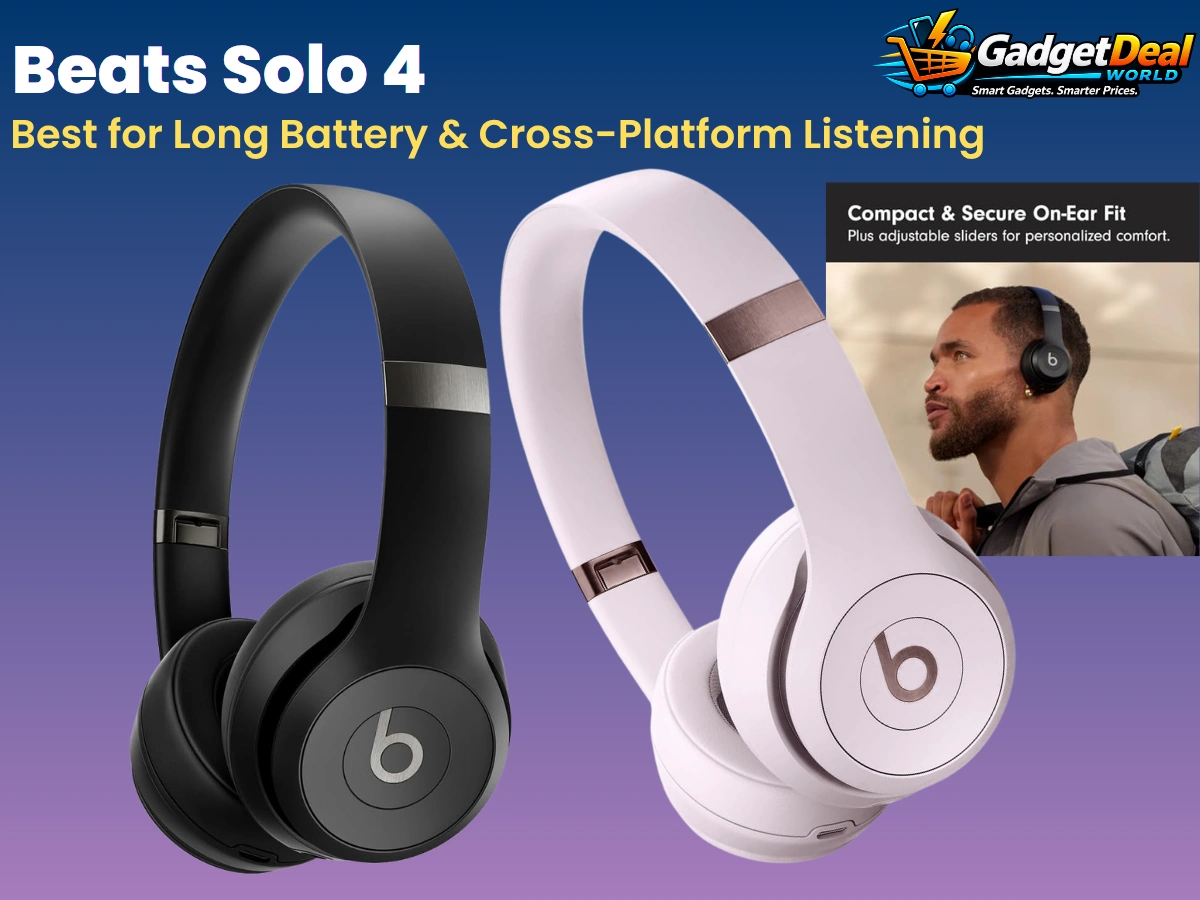
If you want wireless headphones that can last through long trips, work across Apple and Android devices, and still offer wired listening options, the Beats Solo 4 is a strong option to consider. These on-ear headphones are designed around long battery life, with Beats rating them for up to 50 hours of playback. They also support Personalized Spatial Audio with dynamic head tracking and provide both wireless Bluetooth connectivity and wired audio options. (Beats)
The Solo 4 is particularly interesting for buyers who move between different devices or want more flexibility than a Bluetooth-only headphone can provide. USB-C can be used for lossless audio from compatible devices, while a 3.5 mm analog connection provides another wired listening option. Beats also provides Fast Fuel charging, with a short charge designed to provide additional playback time when the battery is low. (Beats)
Best For
The Beats Solo 4 is best suited for:
Long listening sessions — A strong choice for buyers who prioritize long battery life and want fewer charging interruptions.
Frequent travelers — The long rated battery life can be useful for extended travel days and commuting.
Apple users — Apple-focused features such as Personalized Spatial Audio and dynamic head tracking make it a natural fit within the Apple ecosystem. (Beats)
Android users — Beats also supports Android functionality, making the Solo 4 more flexible than headphones designed exclusively around Apple devices. (Beats)
Cross-platform households — Useful when different people or devices in the same household use different mobile platforms.
Buyers who want wired and wireless options — Bluetooth, USB-C lossless audio, and 3.5 mm analog connectivity provide multiple listening methods. (Beats)
People who enjoy spatial audio — Personalized Spatial Audio with dynamic head tracking is available on compatible devices and content. (Beats)
Buyers who prefer on-ear headphones — The Solo 4 uses an on-ear design rather than an in-ear earbud or over-ear headphone format.
Key Features
Up to 50 Hours of Battery Life
The Beats Solo 4 is designed for extended listening, with Beats rating the headphones for up to 50 hours of battery life. Actual battery performance can vary depending on usage, settings, volume, and other factors, so the 50-hour figure should be treated as a maximum rated value rather than a guaranteed everyday runtime. (Beats)
Fast Fuel Charging
When the battery is low, Fast Fuel provides a quick way to regain additional listening time. Beats specifies that a 10-minute charge can provide up to 5 hours of playback under its testing conditions. (Beats)
This is particularly useful for travelers or commuters who may forget to charge their headphones before leaving home.
Bluetooth Wireless Connectivity
The Solo 4 supports Bluetooth Class 1 wireless connectivity for listening without a cable. This makes it suitable for smartphones, tablets, computers, and other compatible Bluetooth devices. (Beats)
Its wireless functionality makes everyday listening convenient while retaining wired alternatives for users who want them.
USB-C Lossless Audio
One of the more distinctive features of the Solo 4 is USB-C audio. Beats states that compatible devices can provide lossless audio through the USB-C connection. (Beats)
However, lossless USB-C audio is not the same as ordinary Bluetooth listening, and compatibility can depend on the connected device and supported setup.
3.5 mm Analog Audio
The Solo 4 also includes a 3.5 mm audio connection, giving users another wired listening option. This can be useful when Bluetooth is unavailable or when connecting to compatible devices that provide a traditional headphone jack. (Beats)
This flexibility is valuable for travelers and users who do not want to rely exclusively on wireless connectivity.
Personalized Spatial Audio
Beats Solo 4 supports Personalized Spatial Audio with dynamic head tracking on compatible Apple devices and supported content. This can create a more immersive listening experience by positioning compatible audio around the listener. (Beats)
Availability and functionality depend on the device, operating system, content, and supported services.
Apple and Android Compatibility
The Solo 4 is not limited to one mobile platform. Beats provides features for both Apple and Android users, making it a practical choice for buyers who use different platforms or may switch devices in the future. (Beats)
Some platform-specific features naturally vary between Apple and Android devices.
On-Ear UltraPlush Cushions
The Solo 4 uses an on-ear design with UltraPlush cushions intended to provide comfort during listening. The headphones also use a lightweight design that can make them easier to carry than many larger over-ear models. (Beats)
Comfort is subjective, however, and buyers who strongly prefer the feeling of over-ear or in-ear headphones may find a different design more suitable.
Foldable and Portable Design
The Solo 4 has a foldable design that helps reduce its size when it is being transported or stored. This makes it particularly useful for commuters and travelers who want full headphones without carrying a large, rigid headphone case. (Beats)
Why It Stands Out
The biggest advantage of the Beats Solo 4 is its combination of long battery life and flexible listening options. With up to 50 hours of rated playback, it is designed for buyers who do not want to charge their headphones frequently. Fast Fuel also provides additional convenience when the battery is running low. (Beats)
Another reason it stands out is its cross-platform approach. The Solo 4 works with both Apple and Android devices, while platform-specific features provide additional functionality depending on the device being used. This makes it a more flexible choice for households or users who do not want to be tied exclusively to one mobile ecosystem. (Beats)
The combination of Bluetooth, USB-C lossless audio, and 3.5 mm analog connectivity is also useful for buyers who want more than one way to listen. Wireless Bluetooth is convenient for everyday use, while wired connections can be useful for compatible devices and situations where a cable is preferred. (Beats)
The main trade-off is the on-ear design. Buyers who prefer strong passive isolation, a completely enclosed over-ear fit, or the very compact size of earbuds may prefer another headphone type. The Solo 4 makes the most sense when battery life, portability, cross-platform compatibility, and listening flexibility are the priorities.
Pros
Up to 50 hours of rated battery life
Fast Fuel quick charging
Bluetooth wireless connectivity
USB-C lossless audio
3.5 mm analog audio connection
Personalized Spatial Audio with dynamic head tracking
Works with Apple and Android devices
Foldable and portable design
On-ear UltraPlush cushions
Strong option for long travel and extended listening
More flexible connectivity than Bluetooth-only headphones
Cons
On-ear design may not suit buyers who prefer over-ear headphones or earbuds
Up to 50 hours is a rated maximum and actual battery life varies with usage
Some advanced features depend on compatible devices and content
Personalized Spatial Audio functionality is not identical across all platforms
USB-C lossless audio requires a compatible setup
Buyers looking primarily for active noise cancellation should compare headphones that specifically offer ANC
Buyers who prefer completely cable-free earbuds may find the Solo 4 less convenient for portability
Who Should Buy
The Beats Solo 4 is a strong choice for buyers whose top priority is long battery life and flexible listening across different devices.
It makes particular sense for frequent travelers, commuters, students, and everyday listeners who want headphones that can continue playing for long periods without frequent charging. The up-to-50-hour rated battery life gives the Solo 4 a clear advantage for this use case. (Beats)
It is also a good fit for users who move between Apple and Android devices. While the experience and available features can vary by platform, the Solo 4 is designed to work across both ecosystems. (Beats)
Buyers who appreciate flexibility may also benefit from the combination of Bluetooth, USB-C lossless audio, and 3.5 mm analog connectivity. This gives the Solo 4 more than one way to connect, depending on the device and listening situation.
Choose the Solo 4 if you value long battery life, portability, cross-platform compatibility, and both wireless and wired listening options more than specialized features such as active noise cancellation.
Who Should Consider Alternatives
Consider alternative headphones if active noise cancellation is one of your highest priorities. The Solo 4’s main strengths are battery life, portability, connectivity, and cross-platform compatibility rather than ANC.
You may also prefer another headphone design if you find on-ear headphones uncomfortable during extended use or if you want the more enclosed fit of over-ear headphones.
Buyers who mainly use earbuds for commuting, exercise, or very compact everyday carry may find true wireless earbuds more convenient than an on-ear headphone.
Finally, if you primarily use one specific ecosystem and want highly specialized platform features, compare the available features carefully before choosing the Solo 4. Its cross-platform flexibility is useful, but some functionality varies between Apple and Android devices.
Our Buying Verdict
The Beats Solo 4 earns its place as the final product in this buying guide because it addresses a specific need exceptionally well: long battery life combined with flexible listening across Apple and Android devices.
Its up-to-50-hour rated battery life, Fast Fuel charging, Bluetooth connectivity, USB-C lossless audio, and 3.5 mm analog connection give buyers several practical ways to use the headphones. Personalized Spatial Audio with dynamic head tracking adds another layer of functionality for compatible Apple devices and supported content. (Beats)
The biggest consideration is choosing the right type of headphone for your needs. The Solo 4 uses an on-ear design and does not position itself around active noise cancellation, so buyers who prioritize ANC, maximum passive isolation, or the smallest possible form factor may be better served by another option.
Overall verdict: Choose the Beats Solo 4 if your priorities are long battery life, cross-platform listening, portability, and flexible wired/wireless connectivity. It is particularly well suited to travelers and everyday listeners who want headphones that can go for long periods between charges.
How to Choose the Right Tech Gadget
Choosing the right tech gadget is not always about buying the most expensive or most feature-packed option. The better choice depends on what you actually need, which devices you already use, and how you expect to use the product.
The 10 gadgets in this buying guide cover very different needs, from wireless earbuds and smartwatches to smart-home devices, streaming hardware, item tracking, security cameras, and portable speakers. Before making a purchase, consider the factors below to narrow down the options and choose a gadget that fits your everyday use.
Start With Your Main Need
The easiest way to choose the right tech gadget is to start with the problem you want to solve.
If you want convenient wireless listening with an iPhone, the Apple AirPods 4 is positioned for that use case. If your priority is a premium smartwatch experience with an iPhone, the Apple Watch Series 11 is the more relevant choice.
For smart-home voice control, consider the Amazon Echo Dot, while the Amazon Smart Plug 2-Pack is better suited to simple plug-in device automation.
If your goal is 4K streaming, the Amazon Fire TV Stick 4K Plus is the relevant option in this guide. For tracking everyday belongings, choose the Apple AirTag 4-Pack.
For other needs, the Soundcore P20i, Blink Mini, JBL Clip 4, and Beats Solo 4 each serve different use cases. Starting with your main need prevents you from paying for features that you are unlikely to use.
Consider Device Compatibility
Compatibility should be one of the first things you check before buying a gadget. A product may have excellent specifications but still be a poor choice if it does not work well with the devices or ecosystem you already use.
Apple users may benefit from ecosystem-focused products such as AirPods 4, Apple Watch Series 11, and Apple AirTag 4-Pack. Buyers using Alexa-enabled smart-home products may find the Amazon Echo Dot and Amazon Smart Plug 2-Pack more relevant.
The Beats Solo 4 offers a different approach because it supports both Apple and Android users, while also providing Bluetooth and wired listening options.
Always check the manufacturer’s current compatibility requirements before purchasing, especially when a particular feature depends on a specific operating system, device, app, or service.
Decide Between Wireless and Wired Connectivity
Think about how you normally connect and use your gadget.
Wireless products are generally convenient for everyday use because they reduce cables and make devices easier to move around. Products such as AirPods 4, Soundcore P20i, JBL Clip 4, and Beats Solo 4 provide wireless listening options.
However, some buyers may still value wired connectivity. The Beats Solo 4, for example, supports Bluetooth as well as USB-C audio and a 3.5 mm analog connection, giving it more flexibility than a Bluetooth-only listening device.
For smart-home products, connectivity also matters. Devices such as the Echo Dot and Amazon Smart Plug 2-Pack depend on compatible networks, apps, and smart-home ecosystems.
Choose the connectivity approach that matches your existing devices rather than selecting a feature simply because it sounds more advanced.
Think About Battery Life and Charging
Battery life becomes particularly important for gadgets that you carry or use away from a power outlet.
For long listening sessions, the Beats Solo 4 stands out with up to 50 hours of rated playback, while the JBL Clip 4 is rated for up to 10 hours of music playback. Earbuds such as the AirPods 4 and Soundcore P20i use charging cases to extend their overall listening time.
When comparing battery claims, remember that advertised maximum playback figures can vary with volume, settings, connectivity, and other usage conditions.
If you frequently travel, commute, or spend long periods away from home, prioritize a gadget whose rated battery life fits your typical routine rather than choosing based only on the product’s other features.
Check the Size and Portability
Portability can make a major difference in how often you actually use a gadget.
The JBL Clip 4 is specifically suited to buyers who want a compact speaker for travel and outdoor activities. Its integrated carabiner makes carrying it more convenient.
Wireless earbuds such as AirPods 4 and Soundcore P20i are also naturally suited to people who want a small everyday listening device.
The Beats Solo 4 provides a different balance, offering a full headphone design with a foldable structure for easier transportation.
Before buying, consider where the product will normally be used. A larger or more feature-rich gadget may be worthwhile at home, but a smaller product may be more useful if you plan to carry it regularly.
Consider the Smart-Home Ecosystem
Smart-home gadgets work best when they fit naturally into the ecosystem you already use.
The Amazon Echo Dot is positioned as a smart speaker for Alexa and smart-home control, while the Amazon Smart Plug 2-Pack is designed for simple automation of compatible plug-in devices.
Before buying a smart-home product, check whether it is compatible with your preferred voice assistant, app, Wi-Fi setup, and other connected devices.
If you are starting a smart home from scratch, it can be useful to choose products that work within the same ecosystem. This can make setup and everyday control simpler than mixing products with incompatible platforms.
Look at the Features You Will Actually Use
More features do not automatically mean a better purchase.
For example, the Fire TV Stick 4K Plus offers advanced 4K streaming and modern entertainment features, but someone with a basic HD television may not benefit from every capability.
Similarly, a buyer who only wants simple indoor monitoring may not need a security camera with features they will never use. Someone who wants occasional portable music may value the compact design of the JBL Clip 4 more than the higher output of a larger speaker.
Make a short list of the two or three features that matter most to you. Then compare products based on those priorities instead of choosing the product with the longest specification list.
Compare Value, Not Just Price
Price is important, but the cheapest gadget is not always the best value.
A better approach is to compare the features you will actually use with the product’s current price. A slightly more expensive device may provide features that are genuinely useful for your situation, while a cheaper product may include limitations that become frustrating later.
At the same time, avoid paying extra for specifications that do not matter to you.
Because product prices can change, always check the current Amazon price before purchasing. The prices shown on retailer pages may also vary by seller, promotion, region, and time.
Think About Long-Term Practicality
A good gadget should continue to make sense after the initial excitement of buying it.
Consider whether the product fits your existing devices, whether you will actually use its main features, and whether its size, battery requirements, connectivity, and setup are practical for your routine.
For smart-home and connected products, also consider the required app, account, network connection, and ecosystem. For portable devices, think about charging and storage. For audio products, consider whether the design and connection options match the way you normally listen.
The best choice is ultimately the gadget that solves your problem consistently without adding unnecessary complexity.
Quick Decision Guide
| If You Need... | Consider |
|---|---|
| Everyday wireless earbuds for iPhone | Apple AirPods 4 |
| Premium smartwatch for iPhone | Apple Watch Series 11 |
| Alexa smart speaker | Amazon Echo Dot |
| 4K TV streaming | Amazon Fire TV Stick 4K Plus |
| Tracking everyday belongings | Apple AirTag 4-Pack |
| Budget bass-focused earbuds | Soundcore P20i |
| Simple smart-home automation | Amazon Smart Plug 2-Pack |
| Budget indoor security camera | Blink Mini |
| Compact outdoor/travel speaker | JBL Clip 4 |
| Long battery + cross-platform headphones | Beats Solo 4 |
As an Amazon Associate I earn from qualifying purchases.
With so many different types of gadgets available, the best choice ultimately depends on your personal needs, device ecosystem, budget, and preferred features. The right gadget for one person may not be the right fit for another.
The next section brings these recommendations together to help you quickly identify which tech gadget is the best match for your everyday needs.
Which Tech Gadget Should You Buy?
Choosing the right gadget from this list depends on what you want to improve in your everyday life. Instead of looking for one overall winner, focus on the category and features that matter most to you.
If you use an iPhone and want seamless everyday audio, Apple AirPods 4 is a strong choice. For a premium smartwatch experience, Apple Watch Series 11 is designed for iPhone users who want advanced health, fitness, communication, and smart features.
For smart-home users, Amazon Echo Dot and Amazon Smart Plug 2-Pack offer simple ways to add Alexa-based voice control and automation. If your main goal is streaming, Amazon Fire TV Stick 4K Plus is the more suitable choice for upgrading your TV experience.
For tracking belongings, Apple AirTag 4-Pack is designed for finding everyday items through Apple’s Find My network. Budget-conscious audio buyers can consider Soundcore P20i, while Blink Mini is a practical option for basic indoor security monitoring.
For portable listening, JBL Clip 4 is a compact choice for travel and outdoor use. If long battery life and cross-platform headphone compatibility are more important, Beats Solo 4 may be the better fit.
Best Tech Gadget for Apple Users
If you already use an iPhone, choosing gadgets that work naturally within the Apple ecosystem can make everyday use simpler. Apple AirPods 4 is the most suitable choice in this guide for everyday wireless audio, while Apple Watch Series 11 is the better option if you want a more advanced smartwatch experience.
Apple users who frequently misplace keys, bags, luggage, or other personal belongings can also consider the Apple AirTag 4-Pack. These products are particularly useful when seamless integration with Apple’s ecosystem is a priority.
Best Tech Gadget for Smart Home Users
For users who want to make everyday home tasks more convenient, Amazon Echo Dot and Amazon Smart Plug 2-Pack are practical choices. Echo Dot can serve as a voice-controlled smart-home hub for compatible devices, while the Smart Plug can add simple control and automation to compatible appliances.
These options are best suited to buyers who already use or plan to use Alexa-compatible smart-home devices. Before buying, check device compatibility and Wi-Fi requirements to make sure the products will work with your existing setup.
Best Tech Gadget for Entertainment
If entertainment is your main priority, Amazon Fire TV Stick 4K Plus is the standout choice in this guide for upgrading a compatible TV or display with a dedicated streaming device.
For personal audio, Soundcore P20i and Beats Solo 4 offer different approaches. Soundcore P20i is aimed at budget-conscious listeners who want bass-focused everyday earbuds, while Beats Solo 4 is better suited to users who prefer headphones, long battery life, and compatibility across Apple and Android devices.
Best Tech Gadget for Security and Monitoring
For basic indoor monitoring, Blink Mini is the most relevant choice in this guide. It is designed for indoor use and provides features such as HD video, motion detection, night vision, and two-way audio.
It is a better fit for buyers who want a straightforward indoor security camera rather than a more advanced multi-camera security system. Consider your room coverage, Wi-Fi setup, storage preferences, and monitoring requirements before purchasing.
Best Tech Gadget for Travel and Outdoor Use
For travel and outdoor listening, JBL Clip 4 is the most suitable pick from this guide because of its compact, portable design. It is particularly useful when you want a speaker that can easily be carried in a bag or attached to your gear.
If portability is less important than personal listening and extended battery life, Beats Solo 4 may be a better alternative. Your choice should depend on whether you prefer a compact speaker for shared listening or headphones for individual use.
Our Best Tech Gadgets Buying Guide Recommendation
There is no single tech gadget that is the right choice for everyone. The best option depends on your primary need, preferred ecosystem, budget, and the features you are most likely to use.
For iPhone users, Apple AirPods 4 and Apple Watch Series 11 offer strong ecosystem integration for everyday audio and smartwatch use. For smart-home needs, Amazon Echo Dot and Amazon Smart Plug 2-Pack provide practical Alexa-based options. Amazon Fire TV Stick 4K Plus is the most relevant choice for TV streaming, while Apple AirTag 4-Pack is designed for tracking everyday belongings.
If keeping costs lower is a priority, Soundcore P20i and Blink Mini provide more budget-oriented options in their respective categories. For portable entertainment, JBL Clip 4 is a practical travel-friendly speaker, while Beats Solo 4 is a better match for buyers who want headphones with long battery life and cross-platform compatibility.
Before making your final decision, compare the features that matter most to you rather than choosing based only on price or popularity. This approach can help you select a gadget that provides better long-term value for your specific needs.
Frequently Asked Questions
What are the best tech gadgets to buy in 2026?
The best tech gadget to buy in 2026 depends on your specific needs rather than one product being best for everyone. In this guide, Apple AirPods 4 is a strong choice for everyday wireless audio, Apple Watch Series 11 is suited to iPhone users who want a premium smartwatch, and Amazon Fire TV Stick 4K Plus is a practical option for 4K streaming.
For smart-home users, Amazon Echo Dot and Amazon Smart Plug 2-Pack offer useful Alexa-based functionality. Apple AirTag 4-Pack is designed for tracking everyday belongings, while Soundcore P20i, Blink Mini, JBL Clip 4, and Beats Solo 4 address different budget, security, portability, and listening needs.
How do I choose the right tech gadget for my needs?
Start by identifying the main problem you want the gadget to solve. Then consider compatibility with your existing devices, the features you will actually use, battery life, portability, connectivity, and your budget.
It is also important to compare long-term value rather than focusing only on the lowest price. A gadget with the right features and compatibility for your setup can be a better choice than a cheaper product that does not fit your everyday needs.
Are these tech gadgets compatible with iPhone and Android?
Compatibility varies by product. Apple AirPods 4, Apple Watch Series 11, and Apple AirTag 4-Pack are primarily designed around the Apple ecosystem, so iPhone users generally get the most complete experience from these products.
Other products in this guide, such as Soundcore P20i, Beats Solo 4, JBL Clip 4, and many Alexa-compatible devices, can be used across different platforms or ecosystems. Always check the specific compatibility requirements before purchasing, especially if you use a combination of Apple and Android devices.
What should I consider before buying a tech gadget online?
Before buying a tech gadget online, compare the features, compatibility, connectivity, battery or power requirements, physical size, and intended use. It is also useful to check the current product price and make sure the model or version you are purchasing matches your needs.
For affiliate purchases, check the current Amazon product page before completing your order because prices, availability, configurations, and promotions can change over time.
Are expensive tech gadgets always better?
Not necessarily. A more expensive gadget may offer additional features, premium materials, or deeper ecosystem integration, but those benefits are not equally important to every buyer.
The better choice is the product that provides the features you actually need at a price that fits your budget. For example, a budget-friendly pair of earbuds may be a better value for everyday listening than a premium model if you do not need its additional features.
How often should I replace my tech gadgets?
There is no fixed replacement schedule for every type of tech gadget. Consider replacing a device when its battery life, performance, compatibility, reliability, or available features no longer meet your needs.
For some products, software and ecosystem support can also influence the decision. If a gadget still performs reliably and meets your requirements, there may be little reason to replace it simply because a newer model is available.
Which tech gadget is best for a limited budget?
For buyers on a limited budget, the best choice depends on the category you need. Soundcore P20i is the budget-oriented audio option in this guide, while Blink Mini is positioned as a more affordable choice for basic indoor security monitoring.
Amazon Smart Plug 2-Pack can also be a practical option if your goal is simple smart-home automation. Rather than choosing solely by price, compare the features you need and the long-term usefulness of the product.
Should I buy a new gadget or upgrade my existing device?
Upgrade when your current device no longer provides the features, performance, compatibility, or convenience you need. If your existing gadget still works well for your everyday tasks, keeping it can often provide better value.
Before upgrading, identify the specific improvement you expect from the new product. This helps prevent spending money on features that may not make a meaningful difference to your everyday use.
Can I use these gadgets together in one smart-home setup?
Some of the gadgets in this guide can work together, but compatibility depends on the product, platform, and supported smart-home ecosystem. Amazon Echo Dot and Amazon Smart Plug 2-Pack are particularly relevant to an Alexa-based setup.
Other products serve different purposes and may use separate ecosystems or companion apps. Before building a smart-home setup, check whether the devices you plan to connect support the same platform and required connectivity standards.
Where should I check the latest price before buying?
For the products featured in this guide, you can use the relevant Amazon product page to check the latest price, availability, and available configurations before purchasing. Product prices and availability can change, so the information shown at the time of purchase should be treated as the current reference.
Conclusion
Choosing the right tech gadget is ultimately about finding the best match for your needs, devices, budget, and everyday habits. This best tech gadgets buying guide is designed to make that decision easier by comparing different gadgets for different everyday needs. The products in this best tech gadgets buying guide 2026 cover a range of categories, including wireless audio, smartwatches, smart-home devices, streaming, item tracking, security, and portable entertainment.
Apple AirPods 4 and Apple Watch Series 11 are strong choices for iPhone users, while Amazon Echo Dot and Amazon Smart Plug 2-Pack are practical options for Alexa-based smart homes. Amazon Fire TV Stick 4K Plus is suited to TV streaming, and Apple AirTag 4-Pack is useful for tracking everyday belongings.
For budget-focused buyers, Soundcore P20i and Blink Mini offer more affordable options in their respective categories. JBL Clip 4 is a convenient choice for portable listening, while Beats Solo 4 is better suited to users who want long battery life and cross-platform headphone compatibility.
Before making your purchase, compare the features that matter most to you and check the latest product details, price, and availability from the Store.
A thoughtful comparison can help you avoid paying for unnecessary features and choose a tech gadget that delivers better long-term value for your specific needs.